A busy shop owner has a lot to check before the shutters come down. Were all customers billed correctly? Did the new stock arrive? How much money came in today? Which employees worked their shifts? At the end of the month, another question comes up: are the salaries correct?
For a small business, these questions are connected. A missed sale can affect the daily cash total. A missed attendance entry can affect an employee’s salary. When the owner keeps sales records in one notebook and staff records in another, checking every detail takes time.
Consider a small grocery store with 12 employees. The owner handles billing, stock orders, leave requests, and salary payments. During a busy week, a cashier may forget to note a return. A staff member may change shifts without updating the attendance register. The mistakes look small, but both need attention later.
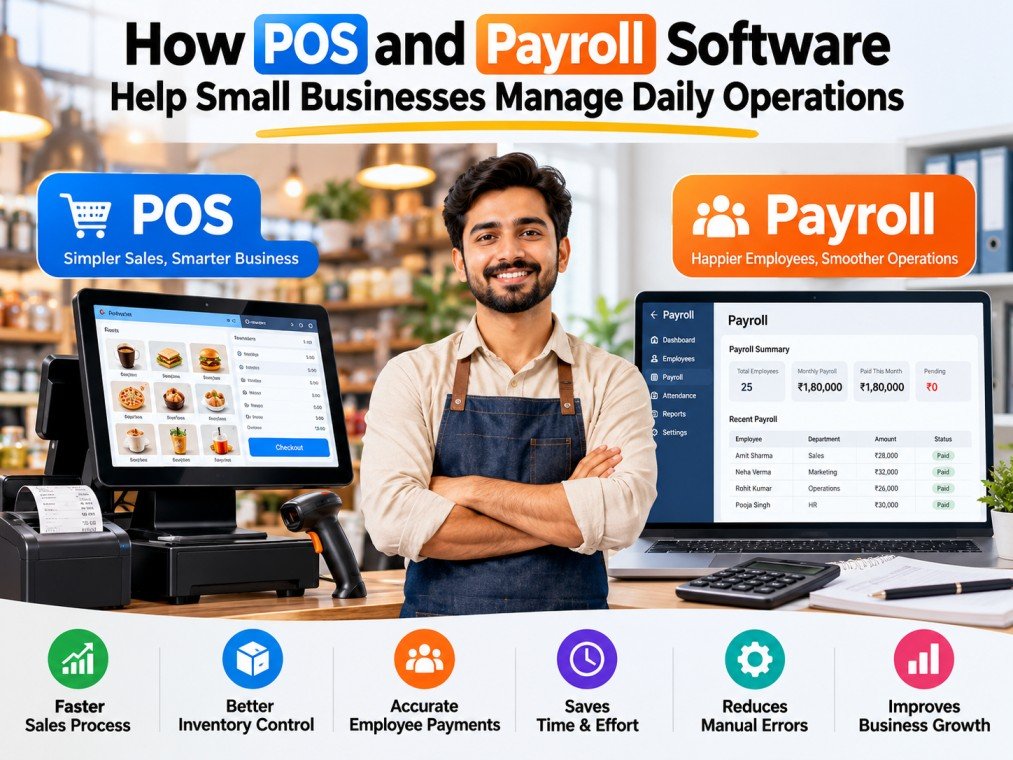
Two useful tools can reduce this repeated work: point of sale (POS) software for daily sales and payroll software for employee pay. They handle different jobs, so using both with clear rules can help an owner keep records, check errors early, and make better decisions.
Why daily records become difficult to manage
Many small businesses start with paper bills, calculators, and spreadsheets. These methods can work when there are only a few sales and employees. As the shop gets busier, the owner may need to copy the same numbers into several places.
For example, a retail shop may write each sale in a bill book, update the stock register at night, and calculate its total income in a spreadsheet. If a product is returned, someone must correct each record. When one update is missed, the figures no longer match.
The same problem appears in staff management. Attendance may be kept in a register, approved leave in messages, and salary advances in a separate book. Before salary day, the owner must compare all three sources. If one employee’s leave was approved but not recorded, the calculation can be wrong.
Better software cannot remove the need for good decisions. It can, however, reduce duplicate entries and give the owner one clear place to review each type of work.
How POS software supports everyday billing
A POS system records sales when a customer buys something. Depending on the system, it can also prepare invoices, record returns, connect sales to product stock, and provide reports. This helps a cashier complete billing while giving the owner a way to check what happened during the day.
Imagine a phone accessories shop. A customer buys a charger and a phone case. The cashier adds the products to the bill and collects payment. In a configured POS system, the sale appears in the daily sales record. If stock tracking is enabled and maintained correctly, the sold quantity can also be reflected in inventory records.
This makes it easier for the owner to answer simple questions. Which products sold most today? Were there discounts? How many returns occurred? Did the recorded payment methods match the collections?
Businesses exploring point of sale software should check whether the system fits their billing process, products, tax requirements, and staff roles. A good fit matters more than a long feature list.
POS records still need human review. The owner should check refunds, cancelled bills, price changes, and cash differences regularly. The system can show what was entered, but it cannot always tell whether an entry was correct.
Keeping inventory and sales records clear
Inventory is a daily concern for grocery shops, hardware stores, and mobile retailers. If staff do not record sold, damaged, or returned items, the stock count can become unreliable.
For example, a hardware shop receives 30 boxes of screws. It sells 12 boxes during the week and returns two damaged boxes to the supplier. If the business only tracks purchases, its stock record will be wrong. Staff need a simple process to record sales, returns, and adjustments.
POS software with stock features may help connect transactions with available quantities. But someone still needs to count physical stock from time to time. A weekly check of a few fast-moving products is often easier than waiting for a large month-end mismatch.
Sales records also help the owner plan purchases. If a particular item sells quickly, the owner can review its recent sales before ordering more. If an item rarely sells, the owner can avoid tying up too much money in that stock.
What payroll software does for a small team
Payroll software deals with another part of the business: employee pay. It stores salary information and can use approved attendance, leave, and other pay details when preparing monthly calculations. Many systems also produce payslips and salary reports.
Consider a supermarket with 18 employees. Some employees work morning shifts while others work evenings. Two employees take approved leave, one joins in the middle of the month, and one receives a salary advance. If the manager calculates salaries by hand, each change must be checked against the correct record.
A payroll system can help keep these details organised. The manager enters or approves attendance and leave, maintains salary settings, and reviews the calculated figures before payment. The system should not be treated as a substitute for checking the inputs.
When choosing payroll software for business, owners should look at their actual attendance method, leave rules, salary components, payslip needs, and applicable payroll obligations. The right setup will depend on how the business operates.
For example, a small shop with fixed monthly salaries may need fewer rules than a business with shifts, overtime, and variable allowances. It is better to set up the needed rules carefully than to turn on features that staff do not understand.
Attendance, leave, and salary changes
Employee attendance affects both daily work and monthly pay. A shop needs enough people at the counter during busy hours. Its manager also needs accurate records for paid leave, unpaid leave, and absences.
Imagine that a cashier swaps shifts with another employee. If the manager approves the change but no one updates attendance, payroll may show an absence for the wrong person. An attendance record is useful only when the team follows a clear correction and approval process.
The owner can set a simple rule: employees report missed entries promptly, managers approve changes, and payroll staff check exceptions before salaries are finalised. Even a team of ten can benefit from this routine.
Salary changes need similar care. When an employee receives a raise, the business should record the effective date. When someone joins midway through a salary period, the manager should confirm how pay is calculated under the employment terms and applicable rules.
Salary advances should also be recorded with the amount, date, and agreed recovery terms. This prevents the owner from depending on memory when preparing the next payment.
How the two systems help the owner work better
POS software and payroll software should not be confused with one another. One keeps track of sales activity, while the other supports employee pay. Their value becomes clearer when the owner follows a regular review schedule for both.
At the end of each day, a store manager can check total sales, returns, payment methods, and any unusual discount. Once a week, the manager can check staff attendance exceptions and approve pending leave.
Before salary day, the owner can review the payroll summary and ask questions about unexpected changes.
These checks also help with planning. Sales reports may show when the store is busiest. Attendance records can show whether enough employees were scheduled for those periods. The owner can then discuss shift needs with the team instead of guessing.
Not every POS and payroll product shares data with other software. Owners should check actual integration features before assuming that sales information and attendance records will move between systems automatically. Even without an integration, a consistent review process can help.
A practical example from a small retail business
Imagine a family-run mobile accessories shop with two billing counters and eight employees. The shop opens every day, and different employees handle the counters on different shifts.
Before using digital records, the owner counts bills at night, keeps returns in a notebook, and checks staff attendance near the end of the month. Sometimes the total recorded cash does not match the cash drawer. Sometimes an employee questions a salary deduction.
The owner decides to introduce clear steps rather than changing everything at once. First, every sale and approved return must go through the billing process. Second, only the manager can approve large discounts or correct a completed transaction. Third, each employee records attendance, and the manager reviews missing entries every Friday.
After several weeks, the owner has a more consistent set of records to check. At month-end, the team can use the approved attendance and salary details to prepare payroll. The owner still reviews the figures and resolves any disputes before paying employees.
The improvement comes from following the same process every day. Software helps maintain records, but staff training and clear responsibilities keep those records useful.
Simple steps to introduce POS and payroll software
Start by writing down your current problems. Are billing mistakes common? Does stock often fail to match the register? Do salary calculations take too long? A short list of problems helps you choose what to fix first.
Next, check your real needs. A retailer may need barcode billing and return management. A service business may care more about invoice records. For payroll, check employee numbers, salary types, attendance methods, leave policies, and reporting needs.
Then test the software with real examples before a full launch. Make a sample bill, process a permitted return, create a sample employee record, and check a payroll calculation. Ask the staff who will use the system every day to try these tasks.
Assign responsibilities clearly. A cashier can create bills, a manager can review changes, and an authorised payroll person can approve salary figures. Access permissions should match each role. Remove access when employees leave, and review accounts regularly.
Finally, set a daily and monthly routine. A short daily sales check and a scheduled payroll review can prevent many surprises. Keep backups or exports where appropriate, protect employee and customer information, and follow local tax and employment requirements.
Common mistakes to avoid
One mistake is assuming that buying software automatically fixes bad records. If the wrong product price is entered, a POS system may generate a bill using that wrong price. If leave is not approved correctly, payroll may calculate pay using incomplete information.
Another mistake is giving every employee full access. Limiting permissions can help protect sales records, employee information, and sensitive changes. Managers should know who can issue refunds, edit prices, or approve salary entries.
A third mistake is skipping training. Staff need to understand how to enter a sale, report an attendance issue, and ask for help when something looks wrong. Short written instructions near the counter or office computer can save time later.
Finally, do not skip regular reviews. Compare POS reports with collections and stock checks. Compare payroll summaries with approved attendance, salary changes, and deductions. Correct issues before they become larger problems.
Questions small business owners often ask
Can a small shop benefit from POS software? Yes, if the shop handles enough sales or products that structured billing and reporting would save work. The best choice depends on its transaction volume, products, and budget.
Does payroll software pay employees automatically? Not necessarily. Many systems prepare calculations and payslips, while payment processing depends on the product and the business setup. Always check the features before buying.
Do POS and payroll tools need to be from the same provider? No. They can be separate products. What matters is that both fit the business, the staff can use them, and the owner understands how records are maintained.
Will software remove every mistake? No. Incorrect entries, missing approvals, and weak internal processes can still cause errors. Regular reviews remain important.
Conclusion
Running a small business means looking after both customers and employees. Daily billing and monthly salaries may be different tasks, but both depend on accurate, up-to-date records.
POS software can help a business manage sales, invoices, returns, and stock information. Payroll software can help manage employee records, attendance, leave, salary calculations, and payslips. Together with clear staff responsibilities, these tools can reduce repeated work and make issues easier to check.
The best next step is simple: identify where mistakes happen today, test software against those problems, and create a review routine that your team can follow. Good records help a small business make decisions with greater confidence.