Managing student movement during school hours can be challenging. Teachers need to maintain classroom discipline, administrators need to know which students are outside class, and schools must balance safety with students’ everyday needs. Traditional paper hall passes can make this process difficult to monitor.
Securly Pass is a digital hall pass and campus movement management system designed for K–12 schools. It helps schools replace paper passes with digital requests, approvals, live pass monitoring, and reporting tools. The platform also offers features for tardy management and visitor management. Official Securly website
In this review, we’ll explain how Securly Pass works, explore its main features, discuss its advantages and limitations, and help schools decide whether it fits their needs.
Table of Contents
ToggleWhat Is Securly Pass?
Securly Pass is a school management solution that digitizes the process of giving students permission to leave the classroom. Instead of relying entirely on handwritten passes, teachers and administrators can use a centralized dashboard to view active passes and monitor approved student movement.
The system is designed to help schools improve accountability, reduce unnecessary classroom interruptions, and maintain a clearer record of when students leave class and where they intend to go.
Securly Pass is primarily intended for schools and school districts, rather than individual students looking for a standalone productivity app.
How Does Securly Pass Work?
The process depends on the school’s configuration, but the general workflow is straightforward:
- A student requests a pass: The student submits a digital request using an available school-approved device or a shared pass kiosk.
- A teacher approves the request: Depending on the school’s settings, staff can approve requests or allow certain passes to begin automatically.
- The pass appears on the dashboard: Authorized staff can view active passes, destinations, and how long students have been out of class.
- The student arrives at the destination: An authorized adult can confirm arrival where the school’s workflow supports it.
- The school reviews the records: Administrators can use pass data and reports to understand usage patterns and identify potential concerns.
Schools can configure pass rules according to their policies, including limits on usage, destinations, and when students may request passes. These controls can vary according to the school’s setup. Source: Securly Pass
Key Features of Securly Pass
1. Real-Time Hall Pass Dashboard
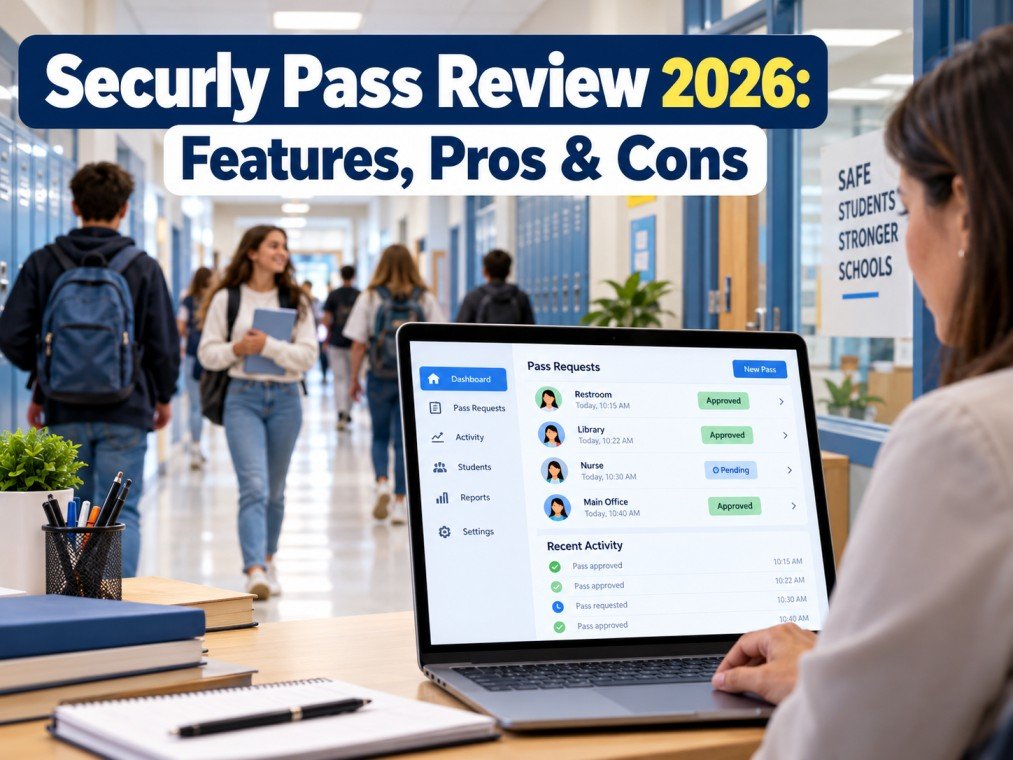
The dashboard gives authorized staff an overview of active hall passes. Teachers and administrators can see which students are out of class, their intended destinations, and how long their passes have been active.
This visibility can make it easier to identify overdue passes and respond when a student’s whereabouts need to be checked.
2. Digital Pass Requests and Approvals
Securly Pass replaces much of the paper-based hall pass process with digital requests and approvals. Depending on the school’s settings, teachers can review individual requests or enable automatic pass options for permitted situations.
This flexibility allows schools to adapt the system to different classroom routines and student age groups.
3. Student Pass Limits
Schools can set limits on pass usage for individual students, groups, grades, or the wider school. These rules can help staff manage frequent requests and encourage students to follow established policies.
Administrators should establish clear, fair rules so that pass restrictions do not prevent students from accessing necessary facilities or support.
4. Contact and Location Controls
The platform includes controls intended to help schools manage student movement and reduce unwanted meetups. Schools may also set destination restrictions to prevent students from requesting passes to locations that are unavailable or inappropriate under school rules.
These features can support supervision, but they should complement—not replace—staff judgment and appropriate student support.
5. Proxy Pass and Pass Kiosk
Not every student has a device available at every moment. Securly Pass offers options for these situations:
- Proxy Pass: Allows a teacher to issue a pass on a student’s behalf.
- Pass Kiosk: Provides a shared device where students can request passes or check in at designated locations.
These options can help schools maintain a consistent process even when students do not have their own devices with them.
6. Tardy Management and Reporting
Securly Pass includes tools for tracking tardy events and reviewing pass activity. Reports can help administrators identify patterns, compare usage across schools, and evaluate whether school policies are working as intended.
The value of these reports depends on accurate records, appropriate staff access, and consistent use across the school.
7. Visitor Management
Securly also offers visitor management capabilities as part of its Pass offering. According to the company, these tools can help schools verify visitor identities, check approved contacts, and support the safe release of students to authorized adults.
Schools should confirm which visitor-management functions are available under their specific license and how those functions fit their existing safeguarding procedures.
8. Integration With School Workflows
Securly Pass is designed to work with the broader Securly school technology environment. Its website describes integration with Securly Classroom, allowing teachers to manage pass activity alongside classroom-management tasks.
Before adopting the system, schools should confirm compatibility with their existing devices, student information systems, browsers, and administrative processes.
Is Securly Pass Safe? Does It Track Student Location?
Privacy is an important consideration when a school introduces software that records student activity.
According to Securly’s official product information, Securly Pass does not use GPS to track the physical location of students or their devices. Instead, it records pass-related information such as the intended destination, time, and approval status. Source: Securly Pass
However, the absence of GPS tracking does not mean the system collects no student information. Schools should review what information is recorded, who can access it, how long records are retained, and which privacy agreements apply.
Before implementation, administrators should:
- Review the vendor’s privacy and security documentation.
- Confirm role-based access for teachers and administrators.
- Explain the system and its purpose to students and families.
- Establish appropriate data-retention and access policies.
- Follow applicable student privacy laws and school-district requirements.
A responsible implementation should support student safety while maintaining transparency and protecting personal information.
Pros and Cons of Securly Pass
Pros
- Centralized monitoring: Staff can view active passes in one dashboard.
- Less paper-based administration: Digital requests can simplify routine hall pass management.
- Flexible rules: Schools can configure pass limits and approval settings.
- Device-free options: Proxy Pass and Pass Kiosk support students without an available personal device.
- Useful reporting: Pass records can help administrators review movement patterns and tardiness.
- Additional school tools: Visitor management and related capabilities may support broader campus procedures.
Cons and Limitations
- Requires setup and training: Staff need to understand the system and apply school policies consistently.
- Technology dependence: Device, browser, network, or account problems may interrupt normal workflows.
- School-controlled access: Students may have limited control over settings and records.
- Privacy considerations: Schools must carefully manage access to student information and pass histories.
- Licensing questions: Pricing and feature availability should be confirmed directly with Securly.
- User experience may vary: Ease of use depends on the school’s configuration, devices, and how consistently staff use the platform.
Securly Pass can streamline a school’s process, but the software alone cannot guarantee better behavior or campus safety. Results depend on how it is implemented and supported.
Who Should Use Securly Pass?
Securly Pass may be worth considering for:
- Middle and high schools that want more visibility into student movement.
- School administrators who need centralized hall pass records and reporting.
- School districts seeking consistent pass policies across multiple campuses.
- Teachers who want a more organized way to approve and monitor student requests.
- Schools already using Securly products that want to explore a connected workflow.
Smaller schools with simple hall pass procedures may find that a paper-based process or a less complex digital tool meets their needs. The best choice depends on the school’s size, safety priorities, budget, technology environment, and privacy requirements.
Is Securly Pass Worth It?
Securly Pass offers a practical approach to digitizing hall passes and managing student movement. Its live dashboard, pass controls, reporting tools, and options for students without personal devices can help schools create a more consistent process.
Whether it is worth the investment depends on the school’s specific requirements. Administrators should request a demonstration, confirm the features included in the proposed license, evaluate device compatibility, and review privacy and support arrangements before making a decision.
Because pricing can depend on the school or district’s arrangement, it is best to contact Securly directly for a current quote rather than rely on an unverified price.
Final Verdict
Securly Pass is a digital hall pass management platform designed to help K–12 schools improve visibility, accountability, and the administration of student movement. It offers more than simple electronic passes, with features such as pass limits, reporting, tardy management, and visitor-management capabilities.
Its main strengths are centralized monitoring and configurable workflows. Its main considerations are implementation effort, technology requirements, licensing, and student-data privacy.
For schools looking to replace paper hall passes with a more structured digital process, Securly Pass is worth evaluating. A school-specific demonstration and privacy review are the best next steps before adoption.
Frequently Asked Questions
What is Securly Pass used for?
Securly Pass is used by schools to manage digital hall passes, approve student movement, view active passes, and review related records.
Is Securly Pass free?
Pricing is not universally published for every school arrangement. Contact Securly to confirm current pricing, licensing, and included features.
Does Securly Pass use GPS?
According to Securly’s product information, it does not use GPS to track students’ physical locations. It records pass-related details such as destination, time, and approval.
Do students need a phone to use Securly Pass?
Not necessarily. Securly offers Proxy Pass for staff-issued passes and Pass Kiosk for shared-device workflows. Availability depends on the school’s configuration.
Can teachers approve or restrict hall passes?
Yes. The platform supports approval settings and configurable pass rules. The exact workflow depends on the school’s implementation.
Is Securly Pass suitable for every school?
Not automatically. Schools should compare its features, cost, privacy requirements, device compatibility, and training needs with their existing hall pass procedures.