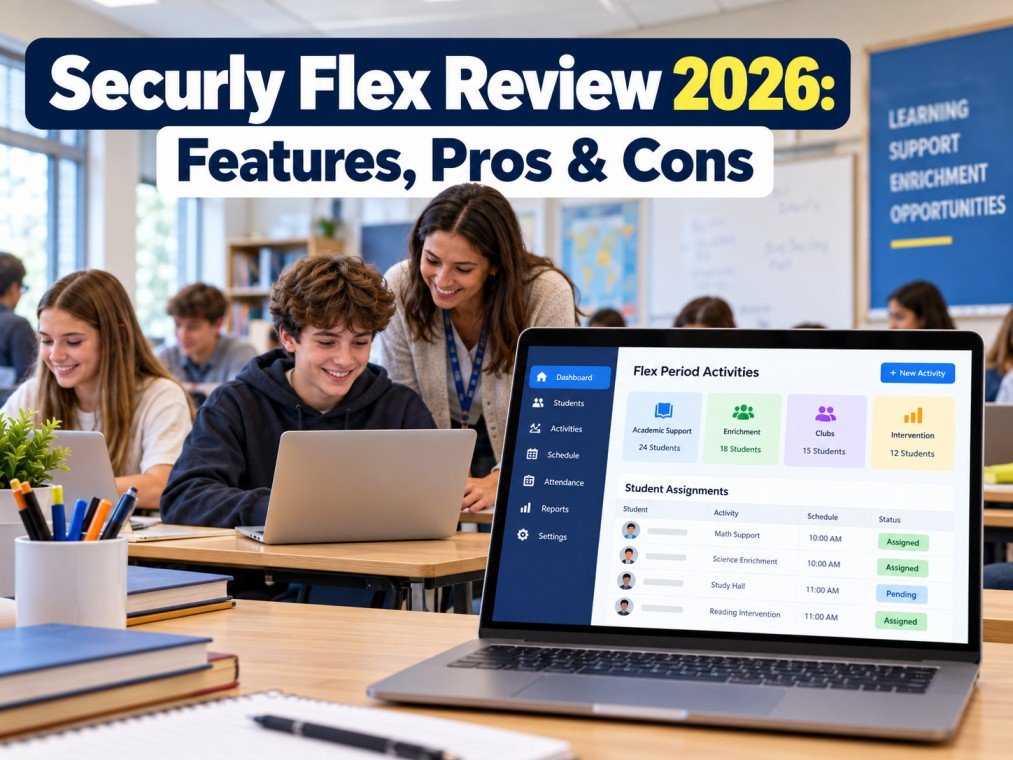
Securly Flex is an education technology solution designed to help schools manage flexible learning periods, student schedules, academic support sessions, and enrichment activities. It helps teachers and administrators organize student participation and reduce the manual work involved in managing school schedules.
In 2026, schools are increasingly adopting digital tools to improve classroom organization and student engagement. In this article, we explore Securly Flex, its key features, benefits, limitations, and whether it is worth considering for schools.
Table of Contents
ToggleWhat Is Securly Flex?
Securly Flex is a school scheduling platform that helps educational institutions organize flexible periods during the school day. These periods can be used for academic intervention, tutoring, enrichment activities, clubs, and other learning opportunities.
Instead of managing student assignments through spreadsheets or handwritten lists, schools can use a digital system to coordinate activities and organize student participation.
Securly Flex is particularly relevant for schools that offer dedicated flex periods, during which students may attend different sessions depending on their academic needs, interests, or school requirements.
It is important to distinguish Securly Flex from Securly Pass. Flex focuses on scheduling activities and student assignments, while Pass is designed for digital hall pass management.
Key Features of Securly Flex
1. Flexible Period Scheduling
One of the main features of Securly Flex is its ability to help schools organize dedicated flexible learning periods. Administrators can coordinate activities and create opportunities for students to participate in different sessions throughout the school day.
These sessions may include subject support, enrichment programs, teacher consultations, and extracurricular activities.
2. Automatic Student Assignment
Managing student assignments manually can become complicated when a school has multiple activities and limited classroom capacity.
Securly Flex offers an Autoassign feature that can place students who have not registered into eligible sessions. Assignments may depend on factors such as student eligibility, activity capacity, and scheduling priorities.
This feature can reduce repetitive administrative work and help schools manage large groups of students more efficiently.
3. Attendance Tracking
Attendance is an important part of managing school activities. Securly Flex supports attendance recording for scheduled sessions, helping teachers maintain records of student participation.
Depending on the school’s configuration, administrators may also be able to review attendance information and export data for reporting purposes.
4. Academic Intervention Management
Some students require additional support in specific subjects, while others benefit from enrichment opportunities.
Schools can use flexible scheduling to organize targeted support sessions and help teachers coordinate interventions. This can make it easier to allocate time and resources according to student needs.
However, effective intervention still requires teachers to evaluate student progress and provide appropriate guidance.
5. Student Activity Selection
Flexible periods can provide students with opportunities to choose from eligible activities. Depending on the school’s setup, students may be able to register for available sessions through a supported digital interface.
This approach can encourage student participation while helping schools maintain organized schedules.
6. Reporting and Administrative Management
Digital scheduling tools can help schools maintain records of student assignments, attendance, and session participation.
These records may support administrative reporting and help school leaders identify scheduling challenges. Available reports and integrations should be confirmed with Securly before purchasing.
Benefits of Using Securly Flex
Securly Flex may offer several advantages for schools that operate flexible learning periods.
Reduced administrative workload: Digital scheduling and automatic assignment can reduce the time staff spend organizing student lists manually.
Better organization: Teachers and administrators can coordinate sessions, student assignments, and activity capacity through a structured process.
Improved academic support: Schools can organize intervention sessions for students who need additional help with particular subjects.
More learning opportunities: Flexible periods can accommodate enrichment activities, clubs, tutoring, and other educational experiences.
Attendance visibility: Digital attendance records can help schools monitor participation in scheduled activities.
More efficient scheduling: Schools with complex timetables may find it easier to coordinate students, teachers, and available spaces.
The actual benefits depend on how effectively a school configures the platform and integrates it into its existing processes.
Pros and Cons of Securly Flex
Pros
- Helps organize flexible learning periods.
- Supports automatic assignment to eligible sessions.
- Makes attendance recording easier.
- Helps coordinate academic intervention and enrichment.
- Reduces reliance on manual scheduling spreadsheets.
- Can improve visibility into student participation.
Cons
- Requires staff training and an initial setup process.
- Scheduling depends on accurate student and activity information.
- Schools need clear rules for student eligibility and session priorities.
- Technical issues or limited device access may affect the experience.
- Pricing and available integrations may vary by agreement.
- Automated assignments still require staff supervision and review.
Schools should evaluate these factors during a product demonstration to determine whether the platform meets their specific requirements.
Who Should Use Securly Flex?
Securly Flex may be suitable for several types of educational institutions.
High Schools
High schools that operate dedicated flex periods can use scheduling tools to coordinate tutoring, enrichment activities, and teacher-led sessions.
Middle Schools
Middle schools may benefit from structured activity scheduling that helps organize students across different classrooms and learning opportunities.
Schools Offering Academic Intervention
Schools that provide additional academic support can use flexible scheduling to coordinate intervention sessions and help students access appropriate resources.
School Administrators
Administrators responsible for student schedules, activity capacity, and attendance reporting may find a centralized digital process useful.
Before adopting the platform, schools should assess their timetable structure, student population, staff requirements, and existing student information systems.
Securly Flex vs. Securly Pass
Although both products are associated with Securly, they serve different purposes.
Securly Flex focuses on organizing scheduled activities during flexible learning periods. Its purpose is to help schools assign students to sessions and coordinate attendance.
Securly Pass focuses on managing digital hall passes. It helps schools oversee student movement outside the classroom, such as trips to the restroom, library, or main office.
The right option depends on the school’s needs. Institutions looking for flexible-period scheduling should evaluate Securly Flex, while schools seeking a digital hall pass system should investigate Securly Pass.
Is Securly Flex Easy to Use?
The ease of using Securly Flex depends on the school’s configuration, the number of activities being managed, and the familiarity of teachers and administrators with digital scheduling tools.
A well-organized implementation can make it easier to assign students, manage sessions, and record attendance. However, schools with complex timetables may need time to configure activities, establish assignment rules, and train staff.
A demonstration using realistic school scheduling scenarios is a useful way to evaluate usability before making a purchasing decision.
How Much Does Securly Flex Cost?
Securly Flex pricing may depend on the school’s requirements, subscription arrangement, and agreement with the vendor.
A reliable price should be obtained directly from Securly rather than relying on unverified figures published on third-party websites.
Before purchasing, schools should ask about licensing, implementation fees, available integrations, staff training, technical support, and renewal terms. These details help administrators understand the total cost of ownership.
For current product information, visit the official website at https://www.securly.com/flex.
Is Securly Flex Worth It in 2026?
Securly Flex may be worth considering for schools that regularly organize flexible learning periods and need a more structured approach to scheduling, student assignment, and attendance tracking.
Its automatic assignment capabilities can reduce manual administrative work, while its support for intervention and enrichment activities can help schools coordinate different learning opportunities.
However, the platform may not be necessary for schools with simple timetables or limited scheduling requirements. Pricing, integration options, usability, and data-handling practices should all be evaluated before making a decision.
Final Verdict: Securly Flex is an option for schools seeking to streamline flexible-period scheduling and coordinate student activities more efficiently. Its suitability depends on the school’s needs, implementation process, and budget. Schools should request a demonstration and confirm current features and pricing before purchasing.
Frequently Asked Questions
1. What is Securly Flex used for?
Securly Flex helps schools organize flexible learning periods, assign students to eligible activities, coordinate academic support, and manage attendance for scheduled sessions.
2. Does Securly Flex automatically assign students?
Yes. Its Autoassign feature can place students who have not registered into eligible sessions according to applicable scheduling rules, student eligibility, and available capacity.
3. Is Securly Flex the same as Securly Pass?
No. Securly Flex focuses on flexible-period scheduling and student activities, while Securly Pass focuses on digital hall passes and student movement around campus.
4. Can schools use Securly Flex for academic intervention?
Schools can use flexible-period scheduling to coordinate academic support and intervention sessions. The effectiveness of these programs also depends on teacher involvement and the quality of the intervention plan.
5. Does Securly Flex include attendance tracking?
Securly Flex supports attendance recording for scheduled sessions. Schools should confirm the reporting and export capabilities available under their specific arrangement.
6. Is Securly Flex suitable for every school?
Not necessarily. It is most relevant to schools that manage dedicated flexible periods with multiple activities, student assignments, and attendance requirements.
7. How can schools get started with Securly Flex?
Schools can visit the official Securly website, review the product information, and contact the vendor to discuss a demonstration, pricing, implementation, and integration requirements.