Easy Flashing FRP Bypass 8.0 APK – Features, Use, and Details
In the modern era of mobile security, Google has implemented several layers of protection to ensure that user data remains safe even if a device is lost or stolen. One of the most prominent features is Factory Reset Protection (FRP). While this is a lifesaver for security, it can become a significant headache for legitimate owners who have forgotten their Google account credentials after a hard reset.
This is where the Easy Flashing FRP Bypass 8.0 APK comes into play. It is a specialized utility designed to navigate around these security hurdles. In this guide, we will explore its features, how it works, and the ethical considerations surrounding its use.
Understanding Factory Reset Protection (FRP)
Before diving into the tool itself, it is crucial to understand what you are bypassing. Introduced in Android 5.1 (Lollipop) and refined in subsequent versions like Android 8.0 (Oreo), FRP is a security method designed to prevent unauthorized people from using your phone if they factory reset it in an untrusted environment.
How FRP Works
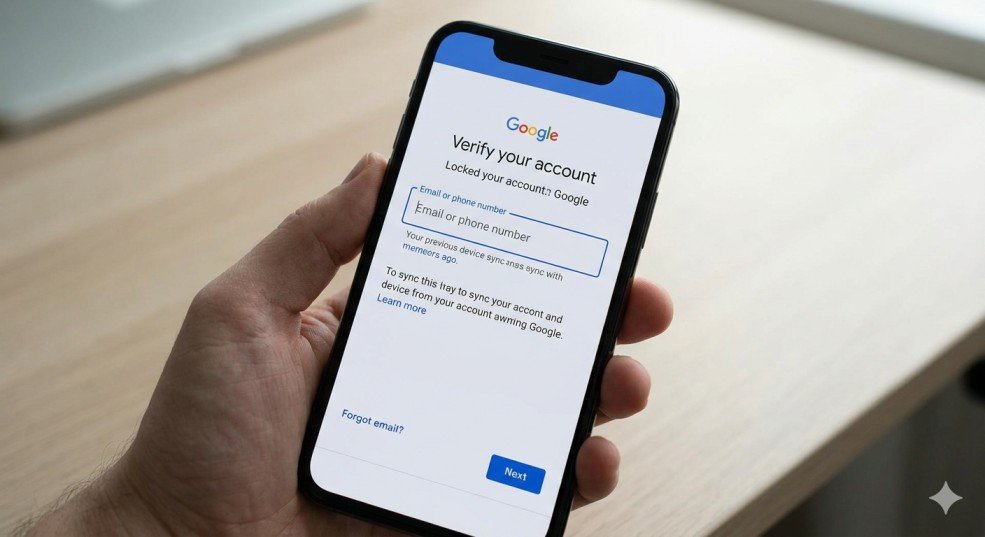
When you set up a Google account on an Android device, FRP is automatically enabled. If the device is “hard reset” (using the recovery menu or via external software) without first removing the Google account, the phone will demand the previous account’s email and password upon restart. Without these, the phone is effectively a “brick.”
What is Easy Flashing FRP Bypass 8.0 APK?
Easy Flashing FRP Bypass 8.0 is a third-party application developed to help users bypass the Google Account Verification screen. Specifically optimized for Android 8.0 Oreo—but often compatible with other versions—this tool acts as a bridge, allowing users to access the device’s internal settings and replace the existing Google account with a new one.
Key Features of the Tool
-
User-Friendly Interface: Unlike complex coding methods or PC-based terminal commands, this APK offers a more visual, step-by-step approach.
-
No PC Required (Mostly): Depending on the specific device exploit, you can often run the bypass directly from the phone using a microSD card or OTG drive.
-
Lightweight: The APK file is small, making it easy to download even on slow connections.
-
High Success Rate: It is specifically engineered to target the security patches prevalent in the Android 8.0 architecture.
Technical Specifications and Compatibility
To ensure a successful bypass, you must match the tool with the correct hardware and software environment.
Supported Android Versions
While the “8.0” in the name suggests a focus on Oreo, the tool is often part of a suite that works across:
-
Android 6.0 (Marshmallow)
-
Android 7.0 (Nougat)
-
Android 8.0/8.1 (Oreo)
-
Certain versions of Android 9.0 (Pie)
Minimum Requirements
-
A stable Wi-Fi connection.
-
At least 50% battery life (to prevent the device from dying mid-process).
-
Access to the device’s “Talkback” settings or an external keyboard/OTG if the browser is locked.
Step-by-Step Guide: How to Use Easy Flashing FRP Bypass 8.0
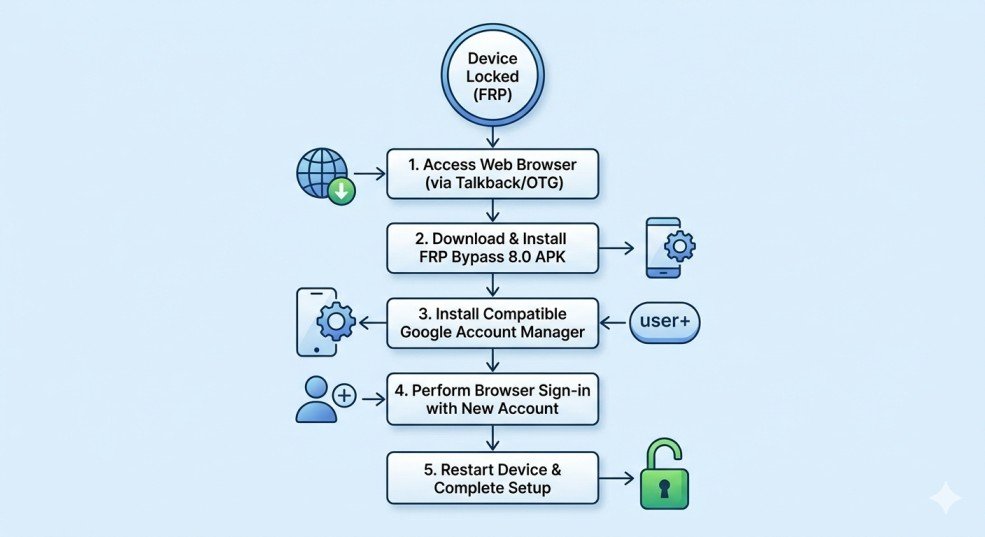
Using this tool requires patience and a bit of technical “finesse.” Below is the generalized process for utilizing the APK on an Android 8.0 device.
Step 1: Connect to Wi-Fi
Power on your locked device and proceed to the Wi-Fi setup screen. Connect to a network. This is necessary because the bypass often requires downloading additional components or accessing a web browser hidden within the system.
Step 2: Access the Browser
Since you cannot reach the home screen, you must “trick” the phone into opening a web browser. Common methods include:
-
Talkback Method: Enabling Talkback (volume up + power or triple-tap home), drawing an ‘L’ on the screen, and accessing “Talkback Settings” which eventually leads to “Help & Feedback” and a YouTube video link.
-
SIM PIN Method: Using a locked SIM card to trigger a notification tray that allows access to settings.
Step 3: Download and Install the APK
Once you have access to a browser (usually Chrome):
-
Search for a trusted source for Easy Flashing FRP Bypass 8.0 APK.
-
Download the file.
-
Go to the “Downloads” folder in the browser and tap the APK.
-
You will likely be prompted to allow “Installation from Unknown Sources.” Enable this in the temporary settings menu.
Step 4: Bypass the Account
-
Open the Easy Flashing app.
-
Look for the “Google Account Manager” (GAM) settings within the app. You may need to install a version of GAM that matches your Android version (e.g., GAM 8.0).
-
Navigate to the “Browser Sign-in” option.
-
Tap the three dots in the upper right corner and select “Browser Sign-in.”
-
Log in with a new, active Google account that you have the password for.
Step 5: Restart and Verify
Once the sign-in is successful, restart your device. During the setup process, the phone will now say “Account Added.” You can now skip the remaining setup steps and reach the home screen.
Troubleshooting Common Issues
Even with the right tool, things don’t always go smoothly. Here is how to handle common roadblocks.
“App Not Installed” Error
This usually occurs if you are trying to install a version of the APK that isn’t compatible with your hardware architecture (ARM vs. X86) or if a previous version of the Google Account Manager is blocking the installation. Ensure you have the specific 8.0 version.
The Browser Won’t Open
Manufacturers frequently release “Security Patches” to close the loopholes used by FRP bypass tools. If the Talkback or YouTube method doesn’t work, you may need to use a PC-based tool (like SamFirm or RealTerm) just to push a URL to the device.
“Google Account Manager has Stopped”
If you see this error, it means the APK is conflicting with the system software. Try clearing the cache of the “Google Play Services” via the hidden settings menu before attempting the bypass again.
Security and Ethical Considerations

While the Easy Flashing FRP Bypass 8.0 APK is a powerful tool, it must be used responsibly.
Legal Use Cases
-
Forgotten Passwords: You owned the phone for years, did a reset, and can’t remember your old Gmail.
-
Second-Hand Purchases: You bought a phone legally from a marketplace, but the previous owner forgot to log out.
-
Refurbishment: Technicians use these tools to restore functionality to donated or recycled devices.
Risks of Using Third-Party APKs
Since these tools are not available on the Google Play Store, they come with inherent risks:
-
Malware: Only download from reputable developer forums or well-known tech blogs.
-
Voiding Warranty: Using bypass tools can sometimes flag the device’s internal security counters.
-
Data Stability: Forced bypasses can occasionally lead to system instability or “boot loops.”
Comparison: Manual Bypass vs. Easy Flashing APK
| Feature | Manual Bypass (System Settings) | Easy Flashing APK |
| Complexity | Very High | Moderate |
| Time Required | 30-60 Minutes | 10-15 Minutes |
| Success Rate | Low (Patches fix them) | High (Targeted exploits) |
| Requirements | Deep System Knowledge | Basic App Installation |
Conclusion: Reclaiming Your Device
The Easy Flashing FRP Bypass 8.0 APK remains one of the most reliable methods for regaining access to an Android Oreo device. While Google’s security measures are formidable, tools like this provide a necessary “backdoor” for legitimate owners caught in a digital lockout.
Always remember to use these tools ethically and ensure you are downloading files from a secure source. Once you regain access to your phone, the first thing you should do is set up a new Google account and write down your credentials in a safe place to avoid needing this tool ever again!