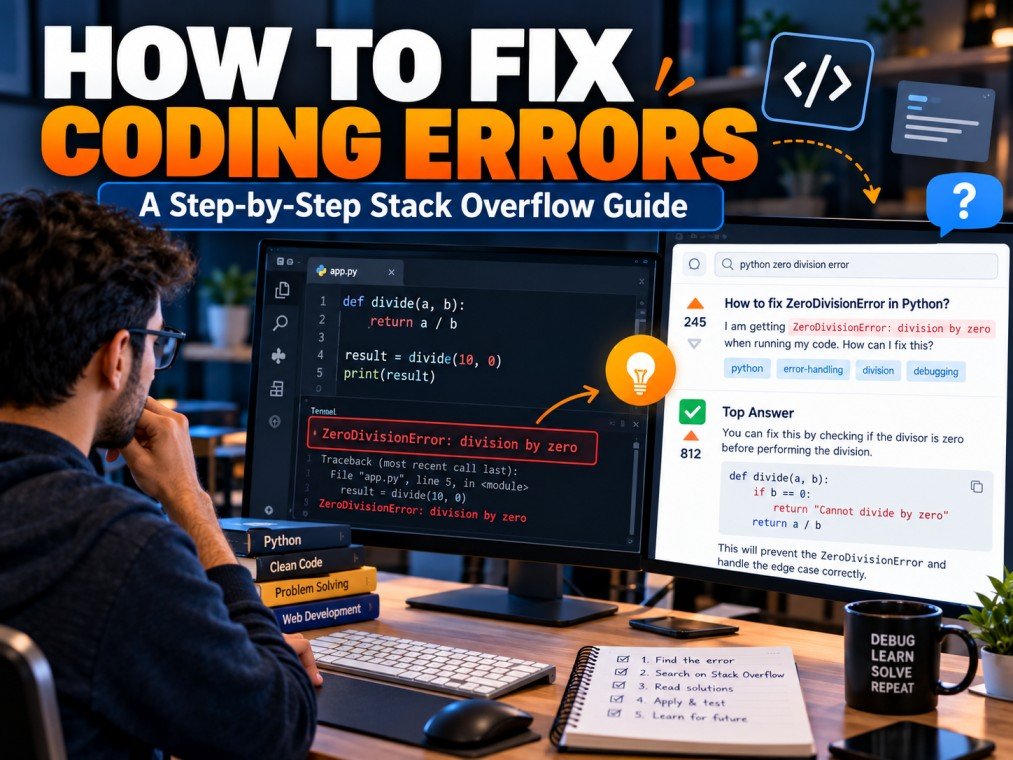
Coding errors are a normal part of software development. Whether you are learning Python, building a website with JavaScript, or developing an application, you will eventually encounter unexpected behavior, error messages, or code that does not work as intended.
Finding the cause of a coding error can take time, especially when you are unfamiliar with the programming language or framework involved. Fortunately, online developer communities can help you investigate these problems. One popular resource is Stack Overflow, a question-and-answer platform where programmers share technical knowledge and solutions.
But how do you use Stack Overflow effectively to fix coding errors? Simply searching for an error message and copying the first code snippet you find is not always the best approach.
In this guide, you will learn how to search for programming solutions, evaluate existing answers, test code safely, and troubleshoot errors more efficiently.
Table of Contents
ToggleWhat Is Stack Overflow and How Can It Help Fix Coding Errors?
Stack Overflow is an online platform where developers ask and answer specific questions about programming and software development.
Its searchable collection of discussions can help you investigate problems involving programming languages, libraries, frameworks, APIs, databases, and development tools.
For example, suppose your Python program displays a KeyError. Searching Stack Overflow for the error message and relevant code context may lead you to a discussion explaining why a dictionary key cannot be found.
Similarly, a web developer encountering an unexpected JavaScript result might discover an explanation involving variable scope, asynchronous operations, or data types.
Stack Overflow can be especially useful when:
- You encounter an unfamiliar programming error.
- A function produces unexpected output.
- A library behaves differently than expected.
- You need to understand an existing code example.
- You want to compare possible solutions to a technical problem.
However, an existing answer is not guaranteed to match your situation. The programming language version, dependencies, input data, and surrounding code can all affect whether a solution works.
Step 1: Understand the Coding Error Before Searching
Before opening Stack Overflow, take a moment to understand the problem.
Many developers waste time searching broad phrases such as “my code is not working” without identifying what actually went wrong.
Start by answering three questions:
What Did You Expect the Code to Do?
Identify the intended behavior. For example, a function might be expected to calculate the total price of several products.
What Actually Happened?
Record the unexpected result, error message, or application behavior. Include the relevant output if possible.
Where Did the Problem Occur?
Look at the file name, function, line number, or operation mentioned in the error message.
Consider this Python example:
numbers = [10, 20, 30]
print(numbers[3])
The code attempts to access the fourth item in a list containing only three items. Python uses zero-based indexing, so the valid indexes are 0, 1, and 2.
The resulting error is an IndexError.
Understanding this detail helps you search for a specific problem instead of looking for a general Python tutorial.
Step 2: Search Stack Overflow Using the Exact Error Message
Once you understand the problem, open Stack Overflow and search for the error message or a distinctive part of it.
A useful search usually includes the programming language, error type, and relevant context.
For example:
Python IndexError list index out of rangeJavaScript TypeError cannot read properties of undefinedSQL syntax error near SELECTPython KeyError dictionary missing key
Avoid including private information, access tokens, passwords, or confidential project data in your searches or public posts.
Use More Specific Search Terms
If a broad search produces irrelevant results, add details about the function, framework, library, or operation involved.
For example, instead of searching only for JavaScript error, search for the specific error message and the operation that triggers it.
You can also use a search engine to find relevant Stack Overflow discussions by searching for the error text together with site:stackoverflow.com.
The goal is to find a discussion that matches the underlying cause of your problem, not merely one that contains the same error name.
Step 3: Read Existing Answers Carefully
When you find a relevant Stack Overflow question, do not immediately copy its accepted or highest-voted answer.
Read the original question first. Check the code, expected behavior, actual behavior, and circumstances described by the person who asked it.
Then examine the answers.
Check Whether the Answer Matches Your Situation
Ask yourself:
- Is the answer about the same programming language?
- Does it address the same underlying problem?
- Does it depend on a particular software version?
- Are the input data and expected results similar?
- Does the solution require a library or dependency that I do not use?
An answer can be technically correct for one environment but unsuitable for another.
Read the Explanation, Not Just the Code
A useful answer should help you understand why the problem occurs.
For example, if a solution changes a list index from 3 to 2, the important lesson is not simply which number to replace. It is understanding how zero-based indexing works and why the original index was invalid.
This knowledge can help you avoid similar errors in future projects.
Check Comments and Other Answers
Comments and alternative answers may contain useful clarifications, limitations, or updated approaches. They can also point out situations in which the original solution does not apply.
Community votes and accepted answers are helpful signals, but they do not guarantee that a solution is correct for your current environment.
Step 4: Verify the Solution With Official Documentation
Stack Overflow is a useful source of practical examples, but official documentation is often the best place to confirm how a programming language or library is supposed to behave.
For example, Python developers can consult the official Python documentation, while JavaScript developers can use MDN Web Docs.
Documentation can help you check:
- Function parameters and return values.
- Supported language features.
- Version-specific changes.
- Correct usage of libraries and APIs.
- Exceptions and error-handling behavior.
This step is especially important when a Stack Overflow answer is several years old or relies on an older version of a framework.
If the answer recommends a method that is no longer supported, current documentation may help you identify a more appropriate alternative.
Step 5: Test the Code in a Safe Environment
After identifying a possible solution, test it before incorporating it into your project.
Whenever possible, use a small example that isolates the problem.
Consider this Python code:
numbers = [10, 20, 30]
print(numbers[3])
The code fails because index 3 is outside the list’s valid index range.
One possible correction is:
numbers = [10, 20, 30]
print(numbers[2])
The output is:
30This correction works if the intention is to access the third item.
However, if the list length can change, a more appropriate solution may be to validate the index before accessing the list.
For example:
numbers = [10, 20, 30]
index = 3

if 0 <= index < len(numbers):
    print(numbers[index])
else:
    print("Index is outside the valid range.")
This example demonstrates an important debugging principle: fixing the immediate error is useful, but understanding the expected behavior helps you choose a solution that fits the actual requirements.
Test More Than One Scenario
A solution that works for one input may fail for another. Test normal inputs, boundary conditions, empty data, and unexpected values where appropriate.
For important applications, use automated tests and code reviews to reduce the risk of introducing new problems.
Step 6: Investigate the Problem if the Solution Does Not Work
Sometimes a Stack Overflow answer appears relevant but does not solve your issue.
That does not necessarily mean the answer is wrong. Your problem may have a different cause, or your environment may differ from the example.
Try the following troubleshooting process:
- Recheck the error message and the line where the failure occurs.
- Confirm the programming language and dependency versions.
- Compare your input data with the example in the answer.
- Reproduce the issue in a small, isolated example.
- Read the official documentation for the relevant function or feature.
- Search again using the newly identified details.
Change one thing at a time when practical. This makes it easier to identify which modification affects the result.
If you still cannot solve the problem, consider asking a well-structured question on Stack Overflow that explains what you have already tried.
Step 7: Ask a Good Question on Stack Overflow
If existing discussions do not address your problem, you may be able to ask the community for help.
Before posting, review the platform’s guidance on how to ask a good question.
A useful question should explain the problem clearly and provide enough information for another developer to reproduce it.
Write a Clear Title
Avoid vague titles such as “Please fix my code.”
Instead, describe the specific behavior or error, such as “Why does my Python function return None when I expect a calculated value?”
Include a Minimal Reproducible Example
Provide the smallest relevant code sample that demonstrates the problem. Remove unrelated functions, private information, and unnecessary project details.
A smaller example is generally easier to understand and troubleshoot.
Explain the Expected and Actual Results
Describe what you wanted the program to do, what happened instead, and any relevant error messages.
Explain What You Have Already Tried
Mention the approaches you tested and why they did not solve the issue. This provides useful context and can prevent suggestions that have already failed.
Use Relevant Tags
Choose tags that accurately identify the programming language, framework, library, or technology involved. Relevant tags help organize questions and make them easier for knowledgeable users to discover.
Common Mistakes to Avoid When Using Stack Overflow
Stack Overflow can help you solve programming problems, but using it carelessly can create additional difficulties.
Copying Code Without Understanding It
Code may contain assumptions or dependencies that do not apply to your project. Understand the proposed solution before incorporating it.
Ignoring Software Versions
An answer written for an older framework may use functions or syntax that have changed. Check the version information and consult current documentation.
Following the First Search Result
The first result may discuss a different cause of the same error. Compare the details before deciding whether it is relevant.
Ignoring Security Risks
Do not run unfamiliar commands or install unknown packages without understanding their purpose. Review code for unsafe operations, excessive permissions, and potential exposure of sensitive data.
Asking Vague or Duplicate Questions
A question without relevant code, error details, or expected behavior is difficult to answer. Search existing discussions before creating a new post.
Treating Votes as Proof of Correctness
Voting can help identify useful community contributions, but it is not a substitute for technical verification.
Stack Overflow vs. AI Tools for Debugging Coding Errors
Developers can now use both community Q&A platforms and AI assistants to investigate coding problems.
Stack Overflow is useful for searching existing discussions, comparing community explanations, and discovering how other developers have handled similar errors.
AI assistants can help explain unfamiliar error messages, review supplied code, and suggest possible debugging steps through an interactive conversation.
Neither approach guarantees a correct answer.
A practical workflow is to use Stack Overflow to investigate known problems, consult official documentation to confirm technical details, and use AI assistance when you need help understanding a concept or exploring possible causes.
Always test suggested code and check security implications before applying changes to a production system.
Frequently Asked Questions
How do I find a solution to a coding error on Stack Overflow?
Search for the exact error message, programming language, and relevant technical context. Read matching questions and answers, verify that the circumstances are similar, and test the proposed solution.
Can beginners use Stack Overflow to debug code?
Yes. Beginners can learn from existing questions and answers, particularly when they understand the basic concepts involved. Reading explanations and experimenting with small examples is more effective than copying code without understanding it.
Why does a Stack Overflow solution not work for me?
The original problem may differ from yours, or the answer may depend on another software version, dependency, input format, or configuration. Compare these details and consult official documentation before trying another approach.
Is it safe to copy code from Stack Overflow?
Code examples can be useful, but they should be reviewed and tested before use. Check the code’s purpose, dependencies, security implications, and compatibility with your project.
Do I need an account to search Stack Overflow?
Many public questions and answers are available to read without signing in. Asking questions, voting, and other participation features may require an account or meeting specific site requirements.
Should I use Stack Overflow or ChatGPT to fix coding errors?
Both can be useful. Stack Overflow provides searchable community discussions, while ChatGPT can help explain concepts and investigate possible solutions interactively. Verify important technical details regardless of the source.
What should I include when asking for coding help?
Include a descriptive title, a clear explanation of the problem, relevant code, the expected and actual behavior, error messages, and the troubleshooting steps you have already tried.
Conclusion
Learning how to use Stack Overflow effectively can make debugging less frustrating and help developers build stronger problem-solving skills.
The most effective approach is to understand the error first, search using precise terms, evaluate existing answers, verify technical details against official documentation, and test solutions in a safe environment.
If the available discussions do not solve your problem, create a focused question with a minimal reproducible example and a clear explanation of what you have already tried.
Whether you are learning your first programming language or working on a complex software project, treating online answers as starting points for investigation can help you solve coding problems more confidently.
Explore more: Visit Stack Overflow to search programming questions and discover community-contributed solutions.