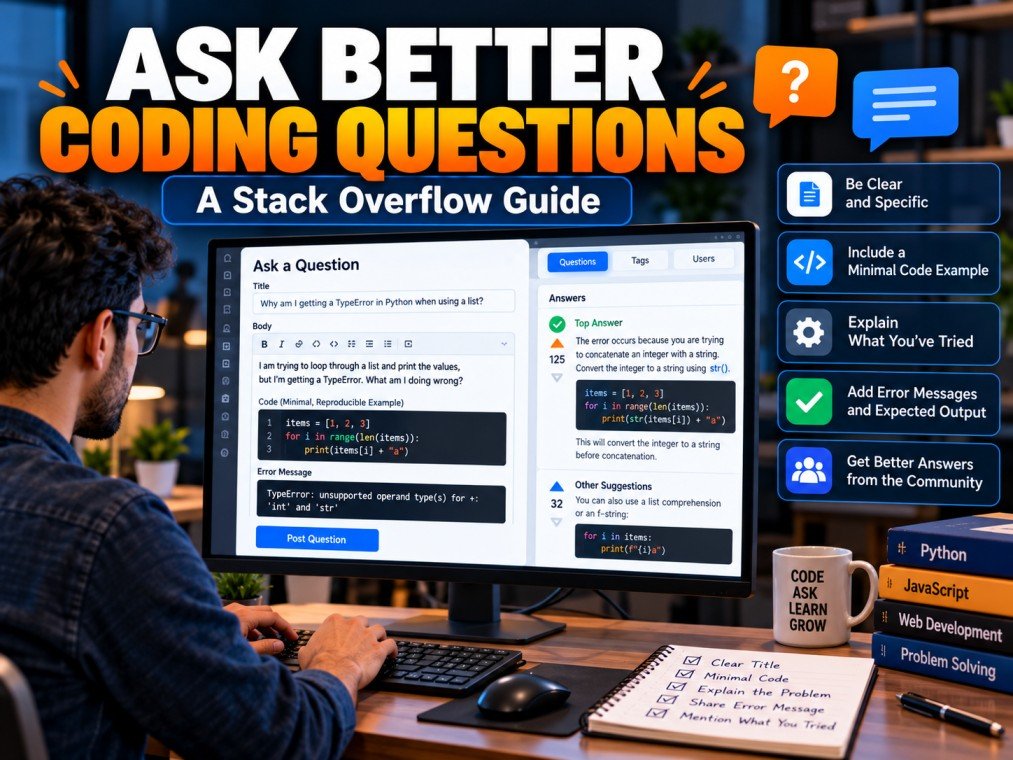
When you encounter a programming error, finding the right solution can sometimes be more difficult than writing the code itself. You may search online, read documentation, and try different approaches without solving the problem. In such situations, asking a clear question on Stack Overflow can help you investigate the issue with the developer community.
Stack Overflow is a question-and-answer platform for programmers and software developers. However, getting useful answers is not simply about posting a question and waiting for someone to respond. The way you explain the problem, share your code, describe the expected results, and demonstrate your research can make a significant difference.
A well-written question helps other developers understand the issue, reproduce the problem, and suggest an appropriate solution.
In this guide, you will learn how to ask a good question on Stack Overflow, create a minimal reproducible example, choose relevant tags, avoid common mistakes, and improve your chances of receiving helpful responses.
Table of Contents
ToggleWhat Makes a Good Stack Overflow Question?
A good Stack Overflow question describes one specific programming problem clearly enough for another developer to understand and investigate it.
Instead of asking for general coding help, explain exactly what you are trying to achieve and where your code behaves differently from your expectations.
A strong question usually includes:
- A descriptive title that identifies the problem.
- A short explanation of the programming task.
- Relevant code that demonstrates the issue.
- The expected output and actual result.
- Complete and relevant error messages.
- Details about the environment or software version when necessary.
- A summary of what you have already tried.
Not every question needs every detail. The goal is to provide enough information for someone else to understand the specific issue without making them search through unrelated code.
Before posting, review the official Stack Overflow guide on asking questions.
Step 1: Search for an Existing Answer First
Before writing a new question, check whether another developer has already reported the same problem.
Searching first can save time and help you discover explanations you might otherwise miss. It also reduces duplicate questions.
Use Specific Search Terms
Search for the exact error message, relevant function name, programming language, or framework.
For example, instead of searching for “Python problem,” try a more focused query such as:
Python TypeError unsupported operand types
If you are working with a particular library, include its name and version when relevant.
Check Whether Existing Questions Match Your Problem
Two questions can contain the same error message but have different underlying causes. Read the original question and compare its code, inputs, environment, and expected behavior with your situation.
If an existing answer solves your problem, you may not need to create a new post.
If your problem is genuinely different, explain the distinction clearly when preparing your own question.
Step 2: Write a Clear and Specific Title
Your title is one of the first things other developers see. It should communicate the main issue without requiring them to open the question to understand its subject.
Avoid vague titles such as:
- “Please help me.”
- “My code is not working.”
- “Urgent programming question.”
- “Why am I getting an error?”
These titles do not identify the actual technical problem.
Instead, describe the unexpected behavior or error.
For example:
Weak title: My Python code is not working.
Better title: Why does my Python function return None when I expect a calculated value?
The improved title identifies the language, the behavior, and the specific issue being investigated.
A good title should be concise, factual, and focused on the problem rather than on your level of experience or how urgently you need help.
Step 3: Explain the Problem Clearly
After writing the title, provide a short description of the situation.
Explain what you are trying to accomplish, what you expected to happen, and what happened instead.
For example, suppose you are writing a Python function that calculates the total price of products.
Your explanation might say that the function receives a list of prices, but it returns None instead of the expected total.
This gives other developers a clear starting point.
Include Relevant Technical Details
Depending on the problem, useful information may include:
- The programming language and version.
- The framework or library involved.
- The input data.
- The exact error message.
- The steps required to reproduce the issue.
Do not include unrelated project history or lengthy background information unless it directly affects the problem.
If the issue depends on a particular software version or configuration, mention it explicitly.
Step 4: Include a Minimal Reproducible Example
One of the most effective ways to improve a programming question is to provide a minimal reproducible example.
This means reducing your code to the smallest example that still demonstrates the problem.
Consider the following Python code:
def calculate_total(prices):
    total = 0
    for price in prices:
        total += price

prices = [100, 200, 300]
result = calculate_total(prices)

print(result)
The code prints:
NoneThe likely issue is that the function calculates the total but does not return it. In Python, a function without an explicit return value returns None.
A corrected example is:
def calculate_total(prices):
    total = 0
    for price in prices:
        total += price
    return total

prices = [100, 200, 300]
result = calculate_total(prices)

print(result)
Output:
600This example is small enough to understand quickly and contains everything necessary to reproduce the behavior.
Why Minimal Examples Matter
A large application may contain hundreds of files and many dependencies. Sharing the entire project can make it difficult to identify the source of a problem.
Reducing the code helps isolate the issue and removes distractions.
A minimal example should still preserve the behavior that causes the error. Removing too much code can make the problem disappear, so simplify carefully.
Step 5: Show the Expected and Actual Results
A good question makes the difference between expected behavior and actual behavior explicit.
For example:
Expected result: The function should return the number 600.
Actual result: The function returns None.
This comparison removes ambiguity and helps other developers understand exactly what needs to be investigated.
For visual or application-related problems, a screenshot may be useful when appropriate. However, relevant code, error messages, and reproducible steps are often more important for debugging questions.
Never expose passwords, access tokens, private user information, or confidential business data in public examples or screenshots.
Step 6: Share the Complete Error Message
Error messages often contain valuable clues about what went wrong.
When a program displays an error, include the relevant message and traceback rather than paraphrasing it as “Python gave an error.”
For example:
TypeError: unsupported operand type(s)This message indicates that an operation received incompatible operand types, although the surrounding code is needed to identify the exact cause.
When sharing an error message:
- Copy the relevant text accurately.
- Include the traceback or line reference when useful.
- Explain which action triggers the error.
- Remove unrelated output and sensitive information.
- Format the text so it is easy to read.
Avoid sharing only a cropped screenshot if you can provide the error as text. Searchable text is easier for other developers to inspect and compare.
Step 7: Explain What You Have Already Tried
Describe the relevant steps you took before posting the question.
For example, you might explain that you checked the function’s input, printed the intermediate values, and consulted the documentation, but the unexpected result remained.
This helps other developers understand your investigation and avoid suggesting approaches that have already failed.
However, you do not need to list every unsuccessful experiment. Focus on the attempts that provide useful information about the problem.
If an experiment changed the behavior, explain what changed and what the new result was.
Step 8: Choose the Right Tags
Tags help categorize questions by programming language, framework, library, or technical subject.
For example, a question about a Python dictionary problem might use the python tag. A question about a React component could use the reactjs tag alongside another relevant technology tag.
Choose tags that accurately describe the problem.
Avoid Unrelated Tags
Do not add popular tags merely because they attract attention. Irrelevant tags can make a question harder to categorize and may prevent it from reaching the right audience.
Use the tags supported by the actual code and technologies involved.
If you are unsure which tags apply, examine similar questions and review the descriptions of available tags.
Step 9: Format Your Question for Readability
Clear formatting makes a question easier to scan and understand.
Use short paragraphs, code blocks, and descriptive section labels where appropriate.
For example, you could organise a question using these headings:
- Problem: What are you trying to achieve?
- Code: What is the smallest example that reproduces the issue?
- Expected result: What should happen?
- Actual result: What happens instead?
- Environment: Which relevant language or library versions are you using?
You do not need to use every heading for every question. Use the structure that makes the problem easiest to understand.
On Stack Overflow, format code using the editor’s code-formatting features rather than inserting code as an ordinary paragraph.
Step 10: Respond Constructively to Comments and Answers
After posting a question, other users may request additional information or suggest possible explanations.
Read their feedback carefully and respond with relevant details.
If someone asks for a missing input value, a version number, or a reproducible example, provide it when possible.
If an answer solves the problem, test it and explain whether it worked. When appropriate, accept the answer that resolved your question according to the platform’s features and guidelines.
If a suggestion does not work, share the new error message or result rather than simply saying that the answer is wrong.
Constructive communication makes technical discussions more useful for everyone who encounters the question later.
Common Mistakes to Avoid When Asking Questions
Even a genuine programming problem can be difficult to answer when the question is unclear or incomplete.
Avoid these common mistakes.
Asking Multiple Unrelated Questions in One Post
Focus on one specific problem. If you encounter several independent issues, investigate them separately where appropriate.
Posting Large Amounts of Unnecessary Code
Remove unrelated functions, configuration, and output while preserving the behavior that reproduces the issue.
Ignoring Duplicate Questions
Search existing discussions before posting. If an existing answer solves your problem, use it rather than creating a duplicate.
Using a Vague Title
Describe the error or unexpected behavior so other developers can quickly understand the question.
Asking for an Entire Project to Be Built
A focused, answerable programming question is generally more useful than a broad request to build an entire application. Explain the specific technical obstacle you need help investigating.
Including Sensitive Information
Remove credentials, private keys, access tokens, confidential source code, and personal information before posting.
Expecting an Immediate Response
Community members contribute voluntarily, and response times vary. A clear, reproducible question helps others understand the issue but does not guarantee an answer.
Example Template for a Good Stack Overflow Question
The following structure can help you prepare a clear question. Adapt it to your particular programming problem and follow the platform’s current guidelines.
Title: Why does my Python function return None instead of the expected total?
Problem description:
I am writing a Python function to calculate the total of a list of numbers. The function appears to process the list, but the result is None instead of the expected total.
Code:
def calculate_total(numbers):
    total = 0
    for number in numbers:
        total += number

print(calculate_total([10, 20, 30]))
Expected output:
60Actual output:
NoneWhat I have tried:
I checked the input list and confirmed that it contains the expected numbers. I would like to understand why the function returns None.
This example demonstrates how to describe the issue, share relevant code, and compare the expected result with the actual output.
The likely cause is the missing return total statement inside the function. In a real question, make sure your example accurately represents the issue you are experiencing.
Frequently Asked Questions
How do I ask my first question on Stack Overflow?
Search for an existing answer, write a descriptive title, explain the problem, include a minimal reproducible example when appropriate, and provide the expected and actual results. Review the official question guidelines before posting.
Why are some Stack Overflow questions closed?
Questions may be closed when they are duplicates, unclear, too broad, primarily opinion-based, or otherwise unsuitable under the site’s rules. Review the feedback and edit the question when appropriate.
Do I need to include code in every question?
Not every question requires a code sample. However, questions about a specific programming error or unexpected code behavior are usually easier to investigate when they include a small, relevant example.
How many tags should I use?
Use the tags that accurately describe your programming language, framework, library, and technical problem. Follow the site’s current tagging requirements rather than adding unrelated tags.
What should I do if nobody answers my question?
Review the question for clarity, confirm that it follows the guidelines, and add missing details if necessary. Check for duplicates and make sure the example reproduces the issue. Editing a question to improve its clarity is more useful than repeatedly posting the same question.
Can beginners ask questions on Stack Overflow?
Yes. Beginners can ask questions as long as they follow the community guidelines. Research the problem first and explain the specific difficulty you encountered.
Is it acceptable to ask ChatGPT to help write a Stack Overflow question?
An AI assistant can help organise your explanation or clarify technical terminology. However, you should verify the code, understand the problem, and ensure that the final question accurately represents your own situation and complies with the platform’s current policies.
Conclusion
Asking a good question on Stack Overflow is an important skill for anyone learning programming or working as a developer.
The best questions are focused, specific, reproducible, and supported by relevant technical details. They explain the expected behavior, show what actually happened, and demonstrate the steps already taken to investigate the problem.
Before posting, search existing discussions, simplify your code, verify your error message, and choose appropriate tags. After posting, respond constructively to feedback and test suggested solutions before using them.
These practices can make technical discussions more productive and help you become a stronger independent problem-solver.
To learn more, visit the official Stack Overflow website and review its question-asking guidelines.