Podcasts have become one of the easiest ways to learn, stay informed, follow interesting conversations, or simply enjoy entertainment during everyday activities. With thousands of shows available across different categories, having a reliable podcast app can make the listening experience much easier.
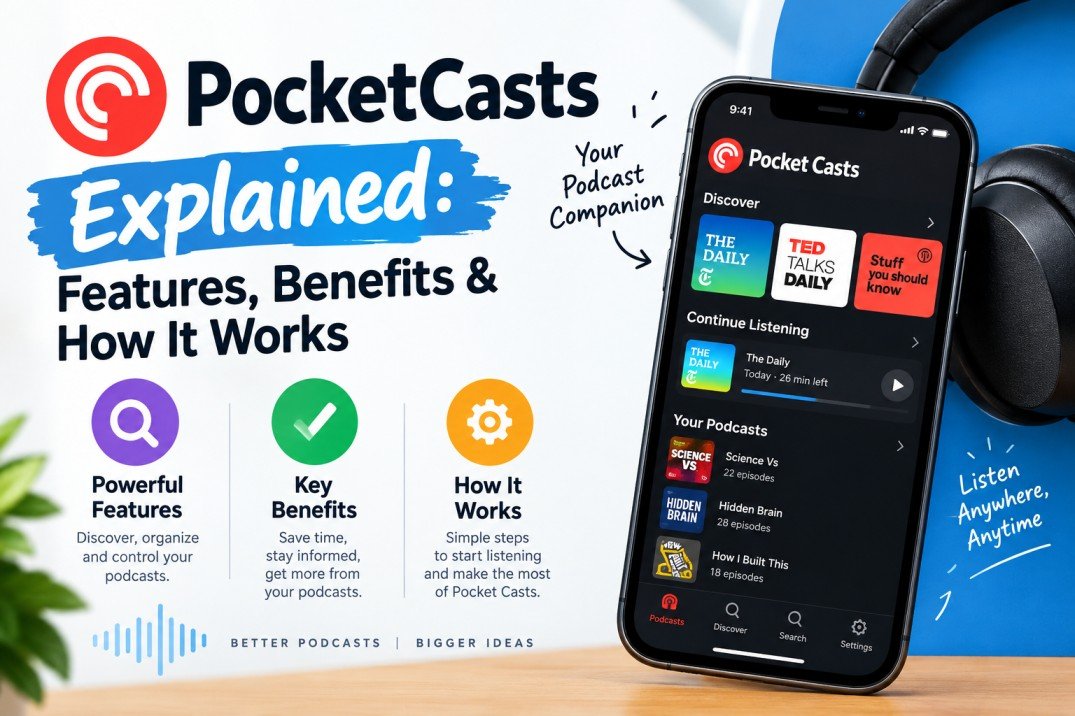
PocketCasts is a podcast player designed to help listeners discover, organize, manage, and enjoy podcasts from one place. It combines podcast discovery with useful playback and library-management features, making it suitable for both casual listeners and people who follow many shows.
But what exactly is Pocket Casts, how does it work, and what features make it different from a basic podcast player?
In this guide, we explain Pocket Casts features, benefits, how Pocket Casts works, and what you should know before using it.
Table of Contents
ToggleWhat Is PocketCasts?
Pocket Casts is a podcast listening and management app that lets users discover podcasts, subscribe to shows, download episodes, create listening queues, and control playback.
Instead of visiting individual podcast websites every time a new episode is released, users can follow their favorite shows through the app. New episodes can then appear in their podcast library, making it easier to keep track of regular releases.
The platform is designed around podcast discovery and listening rather than being a general-purpose music streaming service.
Whether you enjoy technology podcasts, business discussions, news, comedy, education, sports, storytelling, or interviews, Pocket Casts can help organize your listening experience.
How Does PocketCasts Work?
Using Pocket Casts is relatively straightforward.
The basic process looks like this:
Discover → Follow → Download or Stream → Listen → Manage
1. Discover a Podcast
Users can search for podcasts by name, topic, or other relevant terms. This allows listeners to find shows covering subjects they are interested in.
2. Follow Your Favorite Shows
Once you find a podcast you like, you can follow it so that new episodes are easier to find.
Following podcasts also helps turn the app into a personalized listening library.
3. Choose an Episode
After following a podcast, you can browse available episodes and select something to listen to.
Depending on the podcast and your connection, you may be able to stream an episode or download it for later listening.
4. Customize Playback
Podcast listening doesn’t always happen at the same pace. Pocket Casts provides playback controls that can help listeners adjust how they consume episodes.
For example, people who listen while commuting may prefer faster playback, while listeners enjoying a detailed interview may choose a normal speed.
5. Organize Your Listening
When you follow multiple podcasts, managing episodes becomes important. Pocket Casts provides tools intended to help users organize their podcast library and listening queue.
This can make it easier to decide what to listen to next instead of searching through individual shows repeatedly.
Key Features of PocketCasts
One of the main reasons people choose a dedicated podcast application is the ability to manage their entire podcast library efficiently.
Here are some of the notable features associated with Pocket Casts.
Podcast Discovery
Finding interesting podcasts is one of the most important parts of the experience.
Pocket Casts provides podcast discovery and search functionality so users can explore shows based on their interests.
Instead of relying only on recommendations from friends or social media, listeners can use podcast categories and search to discover new programs.
Episode Downloads
Downloading podcast episodes can be useful when you expect to be without a reliable internet connection.
For example, you might download episodes before:
- A flight
- A road trip
- A train journey
- A workout
- A long commute
- Traveling to an area with limited connectivity
Downloaded episodes can make podcast listening more convenient when streaming isn’t practical.
Playback Speed Controls
Not everyone listens at the same speed.
Some people prefer normal playback because they want to enjoy the conversation naturally. Others increase the speed to get through longer episodes faster.
Playback speed controls give listeners greater flexibility.
For educational or interview-based podcasts, this can be particularly useful when episodes are lengthy.
Sleep Timer
Podcast listeners often enjoy listening before going to sleep. However, leaving an episode playing throughout the night isn’t always ideal.
A sleep timer allows listeners to limit playback so that the podcast doesn’t continue indefinitely.
This is a small feature, but it can be particularly convenient for people who regularly listen to podcasts at bedtime.
Listening Queue
A podcast queue helps you decide what you want to hear next.
Instead of selecting a new episode manually every time one finishes, you can organize episodes into a listening sequence.
This is especially helpful if you follow many podcasts.
For example:
Business Podcast → Technology Podcast → News Podcast → Interview Podcast
You can create a listening flow that fits your day.
Podcast Organization
Following dozens of podcasts can quickly become difficult to manage.
A good podcast app needs to make it easier to separate shows and episodes according to your listening habits.
Pocket Casts focuses heavily on podcast organization, helping listeners manage their subscriptions and episodes rather than simply providing a basic play button.
Cross-Platform Listening
For people who use multiple devices, continuing a listening routine across platforms can be valuable.
Pocket Casts has been designed as a multi-platform podcast service, allowing users to access their podcast experience across supported devices and platforms.
The exact features available can depend on the platform and account setup.
Benefits of Using PocketCasts
A dedicated podcast app can provide several advantages compared with searching for individual episodes manually.
A More Organized Podcast Library
If you follow five podcasts, organization may not seem particularly important.
But if you follow 20, 50, or even more shows, keeping track of everything can become difficult.
Pocket Casts brings podcasts into one centralized listening environment.
Easier Podcast Discovery
Discovering new podcasts can be just as enjoyable as listening to familiar ones.
Search and discovery tools can help you find programs related to your existing interests.
You may discover shows about:
- Artificial intelligence
- Digital marketing
- Business
- Entrepreneurship
- Technology
- Personal development
- History
- Sports
- Entertainment
- News
- Science
- Education
Better Control Over Listening
Features such as playback controls, queues, downloads, and sleep timers give users more control over how they listen.
This is particularly useful for people who listen to podcasts throughout the day.
Convenient Offline Listening
Downloading episodes before leaving home can reduce dependence on an active internet connection.
This is useful during travel or situations where mobile connectivity isn’t reliable.
Useful for Long Episodes
Many podcasts now publish episodes that can run for an hour or longer.
Playback-speed controls and queue management can make these longer programs easier to fit into a busy schedule.
Pocket Casts for Podcast Beginners
If you’ve never used a dedicated podcast application before, the experience may seem complicated at first.
In reality, the basic workflow is simple.
Start by searching for a topic that interests you.
For example, you might search for AI, business, technology, or digital marketing.
Then:
- Find a podcast you like.
- Open the podcast page.
- Follow the show.
- Select an episode.
- Start listening.
- Download episodes you want available offline.
- Add episodes to your queue when necessary.
- Explore related podcasts.
After a few sessions, managing your podcast library becomes much more natural.
Pocket Casts vs. Listening to Podcasts on Websites
Podcasts can often be played directly from websites, but dedicated podcast apps offer a more centralized experience.
With a website, you may need to visit different pages to find new episodes.
With a podcast app, you can keep multiple shows together in one library.
For regular podcast listeners, this can make a significant difference.
Is Pocket Casts Good for Heavy Podcast Listeners?
People who listen to several podcasts every week can benefit particularly from organization and playback-management features.
A heavy listener might follow podcasts across several categories, such as technology, business, news, entertainment, and education.
Without organization tools, it can become difficult to remember which episodes have been played, which ones are new, and what should be listened to next.
A dedicated podcast player helps solve this problem by putting the listening workflow into one place.
Pocket Casts for Learning and Education
Podcasts aren’t just entertainment.
Many people use them as an informal learning tool.
Educational podcasts can cover subjects such as:
- History
- Science
- Economics
- Entrepreneurship
- Technology
- Psychology
- Marketing
- Current affairs
- Language learning
- Personal development
Listening to educational podcasts during a commute, walk, or workout can turn otherwise unused time into learning time.
Playback-speed controls can also help users consume longer educational discussions according to their preferred pace.
PocketCasts for Business Professionals
Podcasts have become an important source of business information and industry conversations.
Professionals can use podcast apps to follow discussions about their industries, listen to interviews with experts, and stay aware of emerging ideas.
For example, a digital marketing professional might follow podcasts covering:
SEO + AI + Content Marketing + Google Search + Social Media + Business Growth
Instead of searching for every episode individually, a podcast app can make following these shows much easier.
Is PocketCasts Free?
Pocket Casts has offered free access alongside optional paid features and plans. The exact availability of features and pricing can change over time and may vary by platform or region.
If you’re considering subscribing to a paid plan, it’s worth checking the current Pocket Casts pricing and feature information directly before making a decision.
Who Should Use PocketCasts?
Pocket Casts may be useful for people who:
- Listen to podcasts regularly
- Follow multiple podcast shows
- Want better podcast organization
- Download episodes for offline listening
- Like controlling playback speed
- Prefer creating listening queues
- Listen to long-form interviews
- Use podcasts for learning
- Want a dedicated podcast player
For someone who listens to only an occasional podcast episode, a basic player may be enough. But regular listeners often need better tools for managing their growing library.
Tips to Get More From PocketCasts
Follow Podcasts Selectively
You don’t need to follow every podcast you discover.
Follow shows you genuinely expect to listen to. This keeps your library easier to manage.
Build a Listening Queue
If you know what you want to listen to during the day, create a queue in advance.
This can be especially convenient during commuting or exercising.
Download Before Traveling
If you’re going somewhere with unreliable connectivity, download important episodes beforehand.
Experiment With Playback Speed
Try different playback speeds and find what works best for different types of content.
A conversational podcast may sound best at normal speed, while some informational episodes may be comfortable at a faster speed.
Use the Sleep Timer
If you enjoy podcasts before sleeping, a sleep timer can prevent unnecessary playback after you fall asleep.
Frequently Asked Questions About PocketCasts
What is Pocket Casts used for?
Pocket Casts is used to discover, follow, organize, download, and listen to podcasts through a dedicated podcast player.
Can I download podcasts on Pocket Casts?
Yes, podcast episodes can be downloaded for offline listening where supported.
Does Pocket Casts support podcast subscriptions?
Yes. Users can follow podcasts and manage their shows through their podcast library.
Can I change podcast playback speed?
Yes, Pocket Casts provides playback-speed controls, allowing listeners to adjust how quickly episodes play.
Does Pocket Casts have a sleep timer?
Yes, a sleep timer is available to help listeners control playback when listening before bedtime.
Can I create a podcast queue?
Yes. Queue functionality allows listeners to organize episodes they want to hear next.
Is Pocket Casts only for entertainment podcasts?
No. Podcasts cover a huge range of subjects, including education, business, technology, news, science, history, and many other topics.
Is Pocket Casts worth using?
Whether Pocket Casts fits your needs depends on how you listen to podcasts. People who regularly follow multiple shows may find its organization and playback tools particularly useful.
Final Thoughts
Pocket Casts is more than a simple podcast player. It is designed to make podcast discovery, organization, and everyday listening more manageable.
Its combination of podcast search, episode management, downloads, playback controls, queues, and other listening tools can be useful for both casual listeners and dedicated podcast fans.
The biggest advantage of using a dedicated podcast platform is convenience. Instead of searching for every episode separately, you can build a personalized podcast library and manage your listening from one place.
If podcasts are already part of your daily routine—or you’re planning to explore them more seriously—Pocket Casts provides a structured way to discover shows, keep track of episodes, and make listening fit into your schedule.