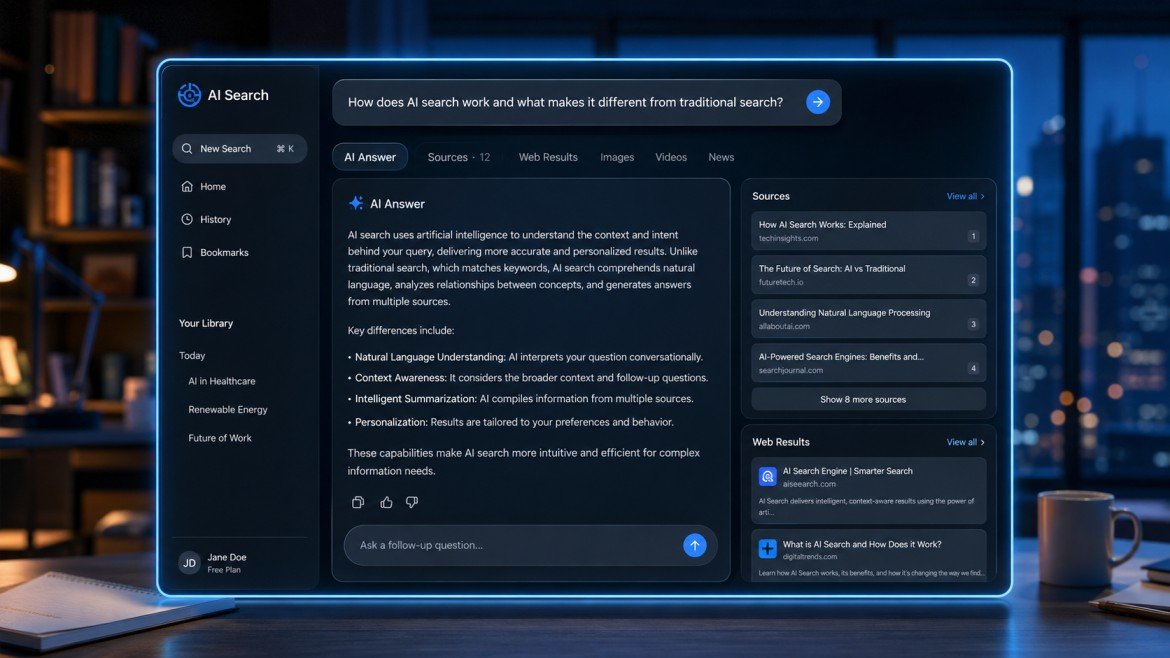
Search engines have traditionally required users to enter keywords, open multiple pages, compare information and decide which sources are useful.
AI-powered search is changing that workflow.
Instead of simply returning a list of web pages, an AI search system can understand a conversational question, search for relevant information and present an answer with links to supporting sources.
ChatGPT Search is OpenAI’s web-search experience inside ChatGPT. It allows users to get timely information from the web and follow source links without necessarily starting the research process in a separate search engine. OpenAI says ChatGPT can automatically search the web when a question would benefit from current information, while users can also manually select Search.
For website owners, bloggers and SEO professionals, this development is important because search visibility is no longer limited to traditional search-result pages. Content can also be discovered through AI-generated answers and source citations.
This guide explains what ChatGPT Search is, how it works, how to use it, how it differs from traditional search, and what website owners should understand about AI search visibility.
Table of Contents
ToggleWhat Is ChatGPT Search?
ChatGPT Search is a web-search capability within ChatGPT that helps users find current or niche information from the internet.
Instead of asking:
“Best smartphones 2026”
a user can ask a more natural question such as:
“Which smartphones released recently offer the best battery life for frequent travelers?”
ChatGPT can use web search to gather relevant information and provide an answer with links or citations to web sources.
OpenAI describes ChatGPT Search as a way to get fast, timely answers with links to relevant web sources.
This makes ChatGPT Search different from a traditional keyword-only search experience.
How Does ChatGPT Search Work?
The exact technical process can vary depending on the query and available search systems, but the general experience is designed around understanding the user’s question and finding relevant web information.
Step 1: Ask a Question
The user enters a question in natural language.
For example:
“What’s the latest update on AI search?”
Step 2: ChatGPT Determines Whether Web Search Is Useful
ChatGPT can automatically search the web when the question would benefit from current information.
Users can also manually select the Search option when supported.
Step 3: Search Queries May Be Refined
OpenAI explains that ChatGPT Search can sometimes work with third-party search providers and may rewrite a user’s question into more targeted queries.
For example, a broad question can be transformed into more specific searches to help retrieve relevant information.
Step 4: Information Is Evaluated
ChatGPT processes the available search results and uses relevant information to construct an answer.
Step 5: Sources Can Be Shown
Search-based responses can include inline citations. Users can also access a Sources panel when available to view cited sources and other relevant links.
How to Use ChatGPT Search
Using ChatGPT Search is straightforward.
Method 1: Select Search
Open ChatGPT and select the available Search option from the tools menu.
Then enter your question.
OpenAI’s current Help Center explains that users can go to the tools menu, select Search, and enter a query.
Method 2: Let ChatGPT Search Automatically
You don’t always need to manually activate Search.
ChatGPT can automatically search the web when your question benefits from online information.
Method 3: Use the Search Shortcut
OpenAI also documents a shortcut where users can type “/” and select Search from the available options.
What Can You Search With ChatGPT?
ChatGPT Search can be useful for many types of information.
Current News
Users can ask about recent developments and news.
Technology
You can search for:
- New AI tools
- Software updates
- Product launches
- Technology trends
Travel
Users can research:
- Destinations
- Hotels
- Attractions
- Travel planning
Local Information
ChatGPT Search can use general location information to make some local results more relevant.
For example, a user asking for restaurants nearby may receive results based on approximate location information.
Shopping Research
ChatGPT can also provide product results for shopping-related questions, including product information and links to websites where users can learn more or purchase items.
ChatGPT Search vs Google Search
ChatGPT Search and Google Search can both help users discover information, but the interaction model is different.
| Feature | ChatGPT Search | Traditional Search |
|---|---|---|
| Natural-language questions | Strong | Strong |
| Conversational follow-ups | Yes | More limited |
| Direct AI-generated answer | Yes | Depends on search features |
| Web citations | Yes, when search is used | Results/pages are listed |
| Multiple-step conversation | Strong | Usually separate searches |
| Source discovery | Yes | Yes |
| Best for | Conversational research | Broad web discovery |
This does not mean one system completely replaces the other.
Many users may use traditional search for navigating directly to a known website, while AI search can be useful when they want an explanation, comparison or research workflow.
Why ChatGPT Search Matters for SEO
Search behavior is evolving.
Historically, SEO focused heavily on ranking webpages for specific keywords in traditional search results.
AI search introduces another layer:
Can your content become a useful source for an AI-generated answer?
This does not mean there is a guaranteed “AI ranking position.”
Instead, website owners should focus on making content:
- Helpful
- Accurate
- Clearly structured
- Easy to understand
- Well sourced
- Relevant to specific questions
OpenAI’s original ChatGPT Search announcement emphasized connecting users with original, high-quality web content and providing source links.
How Can Websites Improve Visibility in AI Search?
There is no guaranteed formula for being cited by ChatGPT or any other AI search system.
However, several established content principles can improve the usefulness and discoverability of a website.
1. Answer Specific Questions
Instead of writing vague articles, answer clearly defined user questions.
For example:
Weak topic:
“AI Search”
Better topic:
“How Does AI Search Differ From Traditional Search Engines?”
Specific questions make content easier to understand and organize.
2. Use Clear Headings
Use logical H2 and H3 headings.
For example:
- What Is ChatGPT Search?
- How Does ChatGPT Search Work?
- ChatGPT Search vs Google
- Benefits of ChatGPT Search
- Limitations
- FAQs
This creates a clear information structure.
3. Provide Original Value
Do not simply rewrite what other websites have already published.
Add:
- Original examples
- Comparisons
- Practical explanations
- First-hand observations where appropriate
- Unique data
- Expert commentary
The goal should be to make the page useful even if AI search did not exist.
4. Cite Reliable Sources
When discussing fast-changing technology, use authoritative sources.
For ChatGPT-related information, official OpenAI documentation should be a primary reference.
For other subjects, use appropriate primary or authoritative sources.
5. Keep Information Updated
AI and technology features change quickly.
An article written several years ago can become inaccurate if it is never updated.
For technology content, regularly review:
- Feature availability
- Pricing
- Product names
- Supported platforms
- Limits
- Official policies
What Are AI Citations?
When ChatGPT uses web search, the response can include citations that allow users to see where information came from.
OpenAI says search responses may contain inline citations, and users can open the citation or Sources panel to access the relevant sources.
For publishers, this creates another potential pathway for users to discover original content.
However, being cited should not be treated as guaranteed traffic.
The quality and relevance of the source still matter.
ChatGPT Search for Bloggers
Bloggers can use ChatGPT Search in several ways.
Topic Research
Ask questions to understand what users are trying to learn.
Content Planning
Use conversational searches to discover related questions and subtopics.
Fact Checking
Search for official sources and recent updates.
Competitor Research
Study how other websites explain a topic.
Content Updating
Check whether information in an existing article has changed.
However, search results should be used as research inputs rather than copied into articles.
ChatGPT Search for SEO Professionals
SEO professionals can use AI search as another research layer.
For example, an SEO workflow might include:
- Traditional keyword research
- Search-intent analysis
- Competitor research
- AI search question research
- Content creation
- Internal linking
- Technical SEO
- Performance monitoring
This creates a broader content strategy instead of relying on one search platform.
Students can use ChatGPT Search to research current information and locate relevant sources.
Useful queries include:
- “Explain the latest developments in renewable energy.”
- “Find reliable sources about the history of the Internet.”
- “Compare two economic theories using recent sources.”
Students should still check the cited sources and follow their school’s or institution’s academic policies.
OpenAI itself recommends verifying important information and checking sources directly when accuracy matters.
Best ChatGPT Search Prompts
Better questions usually produce better research workflows.
News Research
“Summarize the latest major developments in AI and provide the sources.”
Product Research
“Compare these three laptops for video editing using current specifications and cite the sources.”
SEO Research
“What are the main questions people ask about ChatGPT Search? Group them by search intent.”
Technology Research
“What changed recently in ChatGPT Search? Use current official sources where possible.”
Local Research
“Find highly rated restaurants near my location and explain the main differences.”
For important decisions, always verify the underlying sources.
ChatGPT Search and Content Publishers
AI search can change how users discover publishers.
A traditional search journey might look like:
Query → Search results → Website → Article
An AI search journey can look more like:
Question → AI answer → Source citation → Website
This means the source page still matters.
Publishers should therefore focus on creating pages that provide genuine information rather than trying to write content only for an AI system.
Does ChatGPT Search Send Traffic to Websites?
It can provide links to web sources, giving users a way to visit the original pages.
OpenAI’s ChatGPT Search documentation states that search responses can include citations and source links.
However, traffic depends on many factors, including:
- Query type
- User intent
- Source selection
- Whether users click citations
- Topic
- Competition
- Content quality
Therefore, no website should assume that appearing in AI search automatically guarantees traffic.
Can Any Website Appear in ChatGPT Search?
There is no reliable promise that every webpage will appear for every relevant query.
Search systems evaluate available information and select sources based on the query and other factors.
OpenAI’s original announcement said websites and publishers can choose to appear in ChatGPT Search, while the current search system may use search providers and other sources to retrieve information.
Website owners should therefore concentrate on accessibility, useful content, technical health and clear information architecture.
ChatGPT Search and Location-Based Results
ChatGPT Search can use general location information to improve certain results.
For example, queries involving:
- Restaurants
- Local news
- Weather
- Nearby businesses
may benefit from approximate location information.
OpenAI states that IP-based location may be used to estimate general location, while precise device location is optional.
Privacy and ChatGPT Search
Search involves additional considerations because information may be processed to retrieve relevant web results.
OpenAI says ChatGPT Search may sometimes use third-party search providers and may rewrite a user’s query into targeted queries. OpenAI also says the IP address itself and ChatGPT account information are not shared with third-party search providers for running the search, although general location information may be shared to improve results.
Users should review current privacy controls and policies when handling sensitive information.
Limitations of ChatGPT Search
Search Results Can Be Imperfect
AI systems can misunderstand a question or select less useful information.
Sources Should Be Checked
A citation does not automatically mean every statement is correct.
Search Availability and Limits Can Change
Features, usage limits and interfaces can change over time.
Not Every Page Will Be Retrieved
Web content can be inaccessible because of technical restrictions, indexing limitations, paywalls or other factors. OpenAI notes that even ChatGPT’s broader information access can be affected by website availability and robots.txt restrictions.
ChatGPT Search Best Practices
For users:
- Ask specific questions.
- Request sources when research matters.
- Check important claims.
- Open original sources.
- Use follow-up questions to clarify information.
For website owners:
- Create useful original content.
- Keep important information current.
- Use clear page structures.
- Strengthen internal linking.
- Provide accurate author and publication information.
- Cite authoritative sources when appropriate.
- Avoid keyword stuffing.
- Do not publish mass-produced pages with little original value.
Frequently Asked Questions
What is ChatGPT Search?
ChatGPT Search is a web-search capability inside ChatGPT that can provide timely information from the web along with relevant source links and citations.
Is ChatGPT Search free?
OpenAI’s current Help Center says ChatGPT Search is available to Free, Plus, Team, Edu and Enterprise users, including logged-out Free users. Usage limits can still depend on the plan.
Does ChatGPT Search use Google?
ChatGPT Search can use third-party search providers. OpenAI does not describe it simply as a Google-only search system.
Can ChatGPT Search show website sources?
Yes. Search responses can include citations and a Sources panel with relevant links when available.
Is ChatGPT Search better than Google?
Neither is universally better. ChatGPT Search is particularly useful for conversational research and synthesized answers, while traditional search engines remain useful for broad web discovery and navigating directly to websites.
Can bloggers rank in ChatGPT Search?
There is no guaranteed ranking position or formula. Useful, authoritative, accessible and relevant content has a better chance of being discovered and used as a source.
Does ChatGPT Search provide real-time information?
ChatGPT can search the web when current information is needed, allowing it to retrieve more timely information than relying only on model knowledge.
Can I manually activate ChatGPT Search?
Yes. OpenAI documents a Search option in the tools menu and also a “/” shortcut in supported experiences.
Final Thoughts
ChatGPT Search represents an important change in how people can interact with information on the internet.
Instead of entering a short keyword, opening many pages and manually combining information, users can ask questions conversationally and receive an AI-generated response supported by web sources.
For website owners and SEO professionals, this creates another reason to focus on useful, original, trustworthy and well-structured content.
There is no shortcut that guarantees visibility in ChatGPT Search. Publishing hundreds of thin AI-generated pages or repeatedly inserting keywords is not a sustainable strategy.
A stronger approach is to build topical authority, answer real questions, maintain accurate information, use clear internal linking and provide genuine value to readers.
As AI search continues to develop, websites that invest in quality information and strong content architecture will be better positioned to participate in this changing search ecosystem.