Choosing the right AI presentation tool in 2026 depends entirely on your existing workflow and how much creative control you want to retain. While many tools claim to “do it all,” the market has split into three distinct categories: native integrators (working inside PowerPoint/Google Slides), web-native innovators (new formats), and design-first platforms (automated aesthetics).
1. The Best Overall for Speed: Gamma
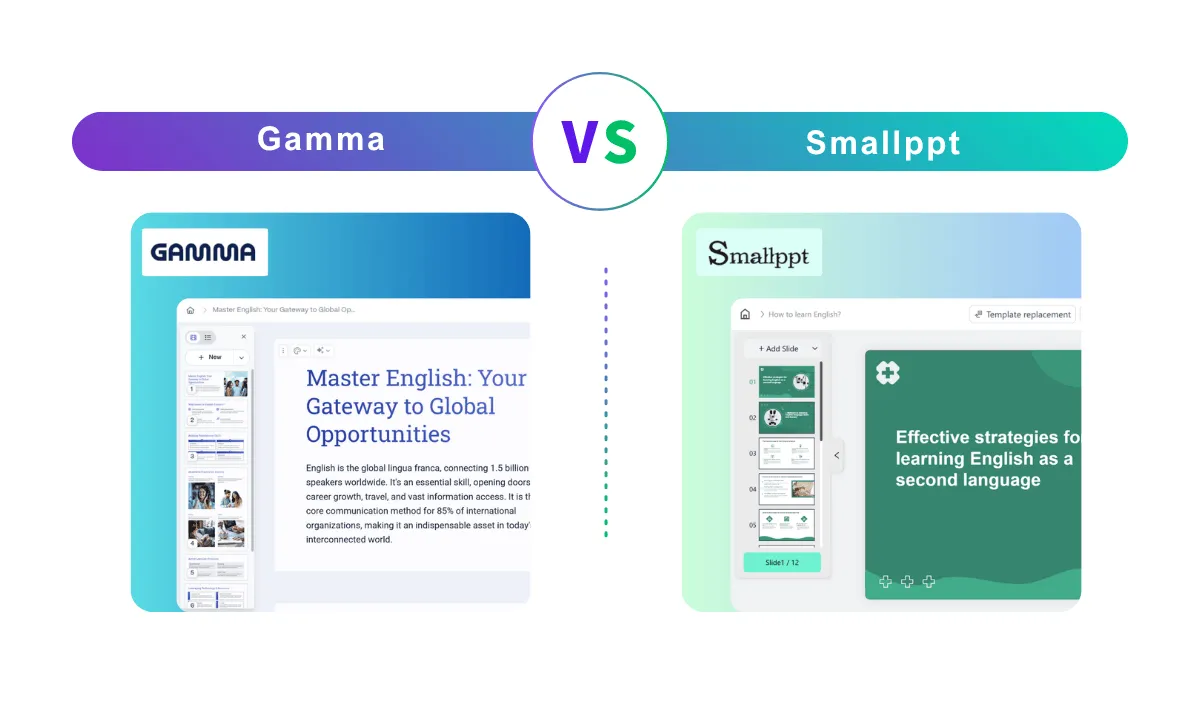
If your goal is to go from a blank page to a finished, professional-looking deck in under 60 seconds, Gamma is the current industry leader.
Why It Wins
Gamma doesn’t just generate slides; it reimagines them as “cards.” Instead of fighting with rigid slide dimensions, Gamma uses a flexible, web-native interface. You type a prompt, choose a theme, and the AI builds a structured narrative with images and layouts automatically.
-
The “Gamma Agent”: In 2026, Gamma’s AI agent can now research your topic on the live web, rewrite existing content, and even restyle the entire deck via a chat interface.
-
Interactive Content: You can embed live websites, TikToks, and Spotify tracks directly into your “slides.”
-
Analytics: Unlike traditional PowerPoint files, Gamma provides “per-card” analytics, showing you exactly where your audience spent the most time.
The Trade-off
Gamma’s greatest strength—its unique format—is also its weakness. While it can export to PDF and PowerPoint, the formatting often loses its “magic” in the transition. It is best used for async updates, startup pitches, and internal reports shared via a link.
2. Best for PowerPoint & Google Slides: Plus AI
For corporate professionals who cannot—or will not—abandon the Microsoft or Google ecosystems, Plus AI is the gold standard.
Why It Wins
Plus AI lives as an add-on directly inside your sidebar. It allows you to use AI without the “copy-paste” shuffle between apps.
-
Template Preservation: This is the killer feature for 2026. Plus AI can “learn” your company’s specific master slides and generate new content that perfectly matches your branding, fonts, and colors.
-
The “Remix” Tool: If you have a messy slide, you can ask the AI to “Remix” it into a specific layout (e.g., “turn these bullets into a 3-column comparison”).
-
Professional Logic: Unlike generic chatbots, Plus AI is trained on business presentation frameworks. It knows the difference between a SWOT analysis and a QBR (Quarterly Business Review).
The Trade-off
It is less “flashy” than standalone apps. You are still working within the constraints of traditional slides, so you won’t get the fluid, scrolling animations found in Gamma or Tome.
3. Best for Design-Haters: Beautiful.ai
If you find yourself spending hours nudging text boxes and aligning icons, Beautiful.ai is designed to take those choices away from you.
Why It Wins
Beautiful.ai uses a “constrained design” engine. It doesn’t let you put a text box in a place that looks bad.
-
Smart Slides: As you add more text to a slide, the elements automatically shrink, move, and realign to maintain perfect proportions.
-
Data Visualization: It has some of the best AI-driven charting tools. You can import a CSV, and the AI will suggest the most “beautiful” way to visualize that specific data.
-
Brand Locking: For teams, you can lock specific colors and fonts so that no one—not even the AI—can break the brand guidelines.
The Trade-off
It can feel restrictive for power users. If you want to move an image exactly 5 pixels to the left for a specific creative reason, the software might fight you.
4. Best for Research-Heavy Decks: NextDocs & Lindy
For consultants and founders who need more than just “pretty” slides, 2026 has seen the rise of research-centric AI tools.
Why It Wins
Tools like NextDocs and Lindy focus on the substance before the style.
-
Deep Research: These tools can browse the web to find real-world data, citations, and market trends to include in your slides.
-
Multi-Variant Generation: NextDocs generates three or four different versions of your presentation (e.g., a “Visionary” version and a “Data-Driven” version) so you can pick the narrative arc that fits your audience.
Quick Comparison: Which should you choose?
| Tool | Best For | Standout Feature |
| Gamma | Speed & Modern Feel | Web-native, scrollable “cards.” |
| Plus AI | Workplace Integration | Lives inside PowerPoint & Google Slides. |
| Beautiful.ai | Visual Perfection | Automatic alignment and “Smart Slides.” |
| Canva | Creative Freedom | Massive asset library and drag-and-drop. |
| NextDocs | Accuracy & Research | Deep web research and data citations. |
Pro Tip for 2026: The “Two-Step” Workflow
Most “one-click” AI presentations still feel a bit generic. The highest-quality professionals are now using a two-step approach:
-
Generate the Story: Use a chatbot (like Gemini or ChatGPT) to build a detailed, slide-by-slide outline with specific data points.
-
Generate the Visuals: Feed that detailed outline into Plus AI or Gamma to handle the design.
Would you like me to help you draft a high-impact outline for a specific presentation topic you have in mind?