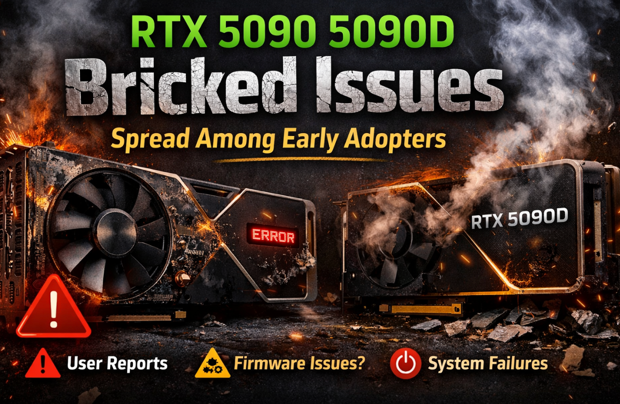
Early adopters of the RTX 5090 and RTX 5090D have begun reporting alarming cases of GPUs becoming completely unresponsive—commonly referred to as being “bricked.” While flagship launches are often accompanied by minor driver bugs or optimization issues, reports of full hardware lockups have sparked widespread concern across enthusiast forums, social media platforms, and system integrator communities.
This article provides a comprehensive overview of the reported bricking issues, explores possible causes, explains how users may reduce risk, and answers common questions. It is written for enthusiasts, professionals, and consumers seeking clarity during a rapidly evolving situation.
What Does “Bricked” Mean in This Context?
A “bricked” GPU typically refers to a graphics card that no longer functions at a basic hardware level. Symptoms reported by RTX 5090 and 5090D users include:
-
No display output (black screen)
-
System failing to POST when the GPU is installed
-
Fans spinning but no GPU detection in BIOS
-
Motherboard error codes related to VGA initialization
-
Card not recognized even in alternative systems
In these cases, standard troubleshooting—such as reinstalling drivers, clearing CMOS, or changing power supplies—fails to revive the card.
Scope of the Reported RTX 5090 5090D Issues
At the time of writing, the number of confirmed bricking incidents appears limited relative to total units sold. However, the pattern of reports is what has raised concern. Many cases share similar characteristics:
-
Occurring within hours or days of first use
-
Triggered after a driver update, firmware flash, or system reboot
-
More frequently reported by early adopters using launch drivers
-
Affecting both RTX 5090 and RTX 5090D variants
The RTX 5090D, which is a region-specific model, appears to be experiencing similar symptoms, suggesting the issue may not be isolated to one market or configuration.
Possible Causes Under Discussion
At this stage, there is no official confirmation of a single root cause. However, the community and industry observers are discussing several plausible explanations.
1. Firmware or VBIOS Issues
One leading theory is a corrupted or faulty VBIOS flash. Modern GPUs rely heavily on firmware for power management, clock control, and boot initialization. If a VBIOS update fails—or if there is a compatibility issue with certain motherboard BIOS versions—the GPU may fail to initialize altogether.
In some reported cases, users claim the bricking occurred immediately after a reboot following a firmware or driver update.
2. Driver-Level Power Management Bugs
Launch drivers for new GPU architectures are notoriously complex. Aggressive power states, incorrect voltage tables, or improper interaction with motherboard firmware could potentially push the GPU into an unrecoverable state.
This theory is supported by reports where systems functioned normally until a driver update was installed.
3. Power Delivery and PSU Compatibility
The RTX 5090 series is expected to draw significant power under load. Some users suspect transient power spikes or compatibility issues with certain power supplies or adapters may contribute to failures, particularly during system startup.
However, many affected users report using high-quality, high-wattage PSUs, making this explanation incomplete on its own.
4. Manufacturing Defects in Early Batches
Historically, early production runs of cutting-edge hardware can sometimes exhibit higher failure rates. While there is currently no evidence of a widespread manufacturing defect, this possibility has not been ruled out.
RTX 5090 vs RTX 5090D: Any Differences?
While the RTX 5090D is designed for specific regional markets, early indications suggest that the bricking behavior is functionally similar between the two models. This implies:
-
Shared core architecture
-
Similar firmware base
-
Common driver stack
If the issue were purely hardware-based and region-specific, one would expect divergence between models—but current reports do not strongly support that.
Impact on Early Adopters
Early adopters often accept a degree of risk in exchange for early access to performance gains. However, a fully bricked GPU represents more than inconvenience—it can mean:
-
Downtime for professionals relying on GPU workloads
-
Lengthy RMA processes
-
Potential shipping and customs delays (especially for 5090D owners)
-
Loss of confidence in launch stability
For system builders and boutique PC integrators, even a small number of failures can have outsized reputational impact.
What Affected Users Are Doing
Users with bricked cards are pursuing several paths:
-
Initiating RMA requests through retailers or board partners
-
Contacting manufacturer support directly
-
Attempting blind VBIOS recovery (with mixed success)
-
Testing cards in multiple systems to rule out platform issues
Some advanced users have reported partial success using external flashing tools, but these methods are risky and not recommended for the average consumer.
How to Reduce Risk If You Own an RTX 5090 or 5090D
While no mitigation is guaranteed, cautious steps may reduce exposure:
-
Avoid unnecessary firmware or VBIOS updates
-
Delay optional driver updates until stability reports emerge
-
Ensure motherboard BIOS is up to date and stable
-
Use a high-quality, reputable power supply
-
Avoid overclocking or undervolting during early ownership
If your system is functioning normally, a conservative “wait and see” approach may be wise.
Industry Response and Expectations
While no formal statement has yet resolved the issue, it is common for GPU manufacturers and driver teams to investigate such reports rapidly. Historically, similar launch issues have often been addressed through:
-
Emergency driver hotfixes
-
Revised firmware distributions
-
Updated compatibility guidance
-
RMA accommodations for affected users
Transparency and response speed will be critical in maintaining consumer trust.
Frequently Asked Questions (FAQ)
Q1: How common are RTX 5090 / 5090D bricking issues?
At present, reports appear relatively rare but concentrated among early adopters. The exact failure rate is unknown.
Q2: Can a bricked RTX 5090 be fixed?
In most consumer cases, a fully bricked GPU requires replacement via RMA. DIY recovery attempts are risky and often unsuccessful.
Q3: Is the issue limited to certain brands or board partners?
So far, reports span multiple vendors, suggesting the problem may not be isolated to a single manufacturer.
Q4: Should I cancel or delay my purchase?
That depends on your risk tolerance. Conservative buyers may choose to wait for clearer guidance or revised batches.
Q5: Does this affect gaming performance or stability before bricking?
Most users report normal performance before the failure occurs, which makes the issue more concerning.
Q6: Is the RTX 5090D more affected than the RTX 5090?
Currently, there is no strong evidence to suggest one is significantly more affected than the other.
Disclaimer
This article is based on user reports, community discussions, and early observations. It does not represent an official statement from GPU manufacturers, board partners, or retailers. The information provided is for informational purposes only and should not be interpreted as technical diagnosis, purchasing advice, or confirmation of defects.
Hardware issues can arise from many factors, including system configuration, power delivery, firmware compatibility, and individual component variance. Readers are advised to consult official support channels and documentation for authoritative guidance.
Final Thoughts
The RTX 5090 and 5090D represent the cutting edge of consumer GPU technology, but the reports of bricking issues serve as a reminder that early adoption carries inherent risks. While the scope of the problem remains unclear, awareness, caution, and patience are currently the most effective tools available to users.
As more data emerges and official responses are issued, the situation will become clearer. Until then, informed decision-making and conservative system management are strongly recommended.